Split a PDF online — one file per page or custom ranges
Split a PDF into separate files: one file per page, or custom ranges like 1-5, 10, 15-20. 100% in your browser, no upload, no signup, EU Frankfurt, GDPR.
How it works
Drop your PDF
Drag a file up to 100 MB into the in-browser canvas. The PDF loads into your tab memory only — no transfer to a server, no AWS round-trip, no Adobe sign-in.…
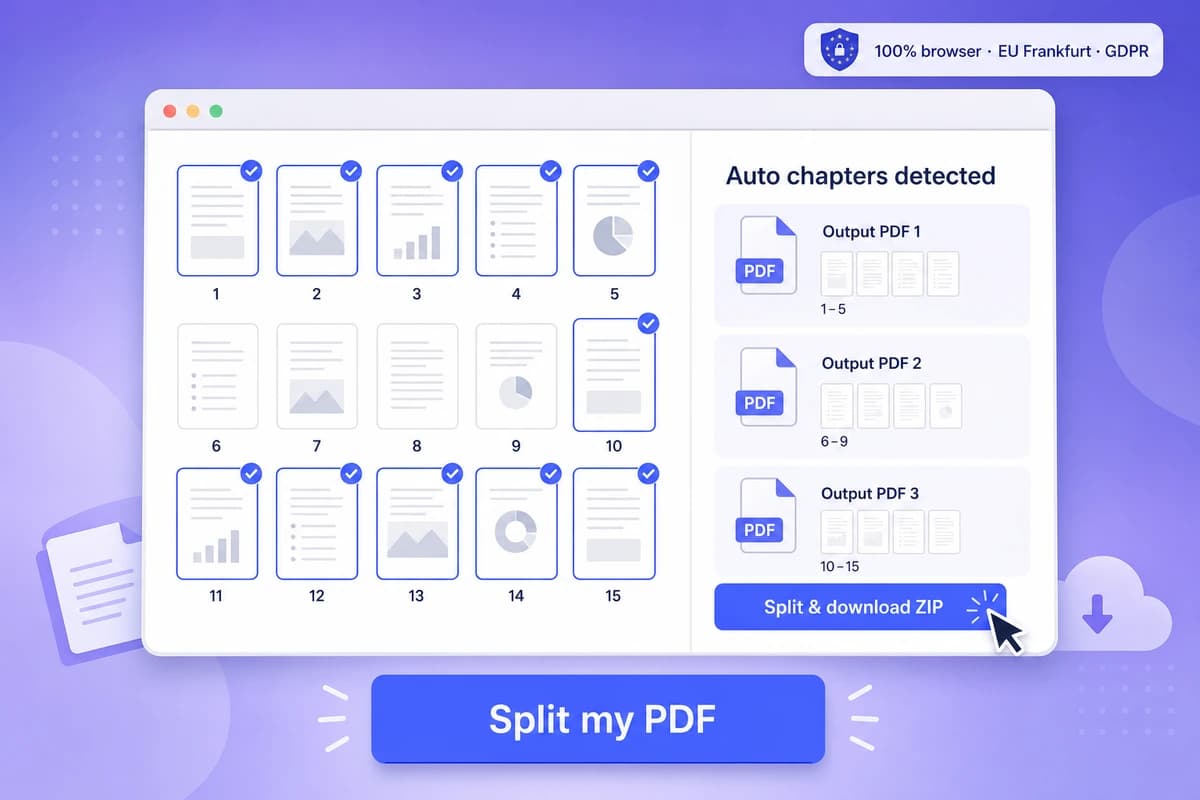
Pick one of the two split modes
One file per page (a 40-page bundle becomes 40 PDFs, numbered), or custom ranges typed as 1-5, 10, 15-20 — Adobe Acrobat online caps you at 19 divider lines, we accept as many ranges as you…
Download every part
Each part downloads as its own PDF named after your source file — document-part-1.pdf, document-part-2.pdf, and so on.…
Why choose iFillPDF
Range syntax with no divider-line ceiling
Type ranges like 1-5, 10, 15-20 and get one output PDF per range — Adobe Acrobat online forces you through at most 19 divider lines, we accept as many ranges as you type.…
A clean page copy, honestly described
Each output is a fresh PDF built by copying the selected pages out of the source with pdf-lib. Page content, embedded fonts and images come across byte-identical, which is what matters for readability and printing.…
100% client-side — nothing is uploaded
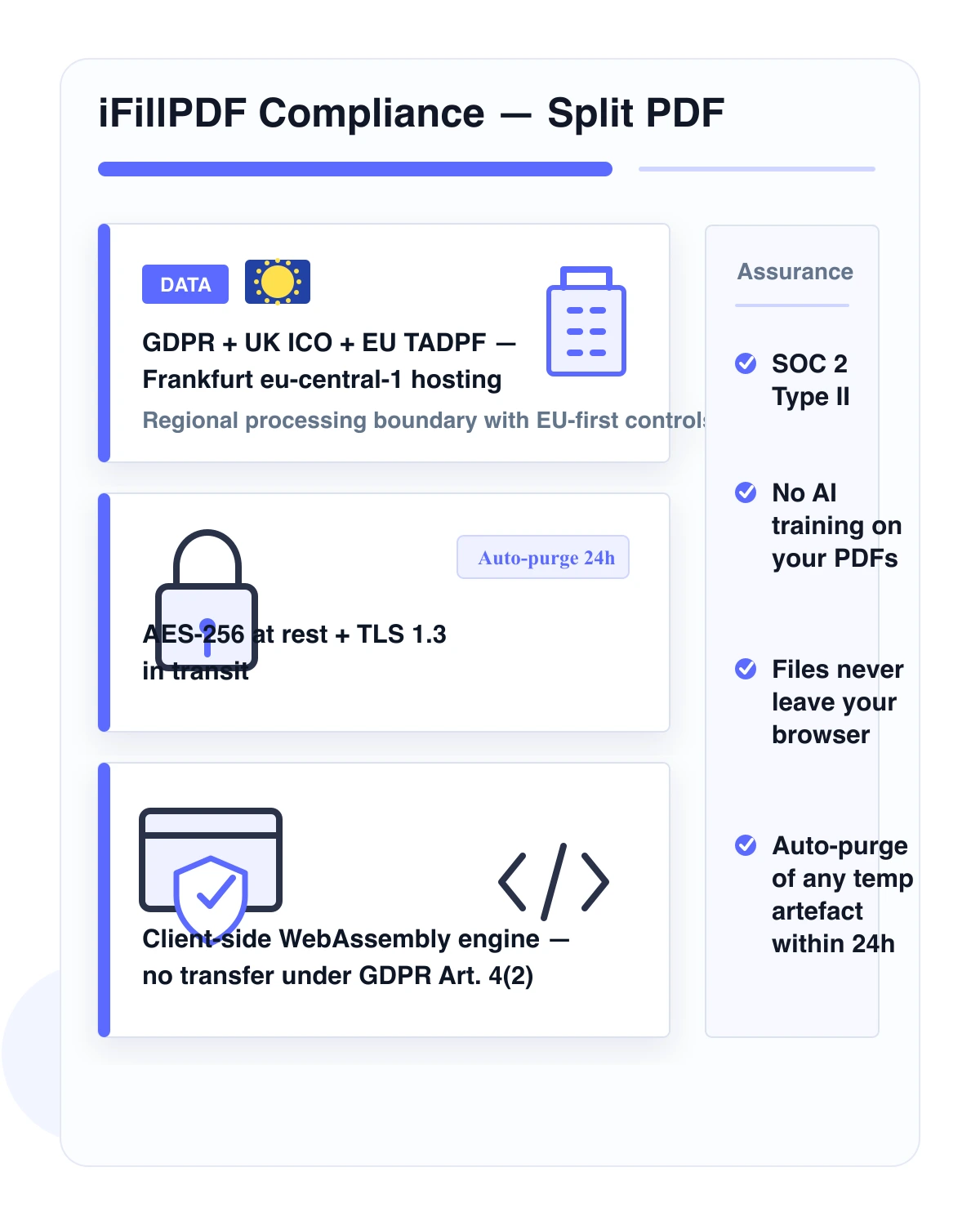
Splitting runs entirely in your browser via pdf-lib. Your PDF never touches a server — not ours, not AWS, not anyone. iLovePDF, Smallpdf, pdfFiller, Adobe Acrobat online and PDF24 all upload to their cloud, process server-side,…
No signup, no daily quota, no watermark
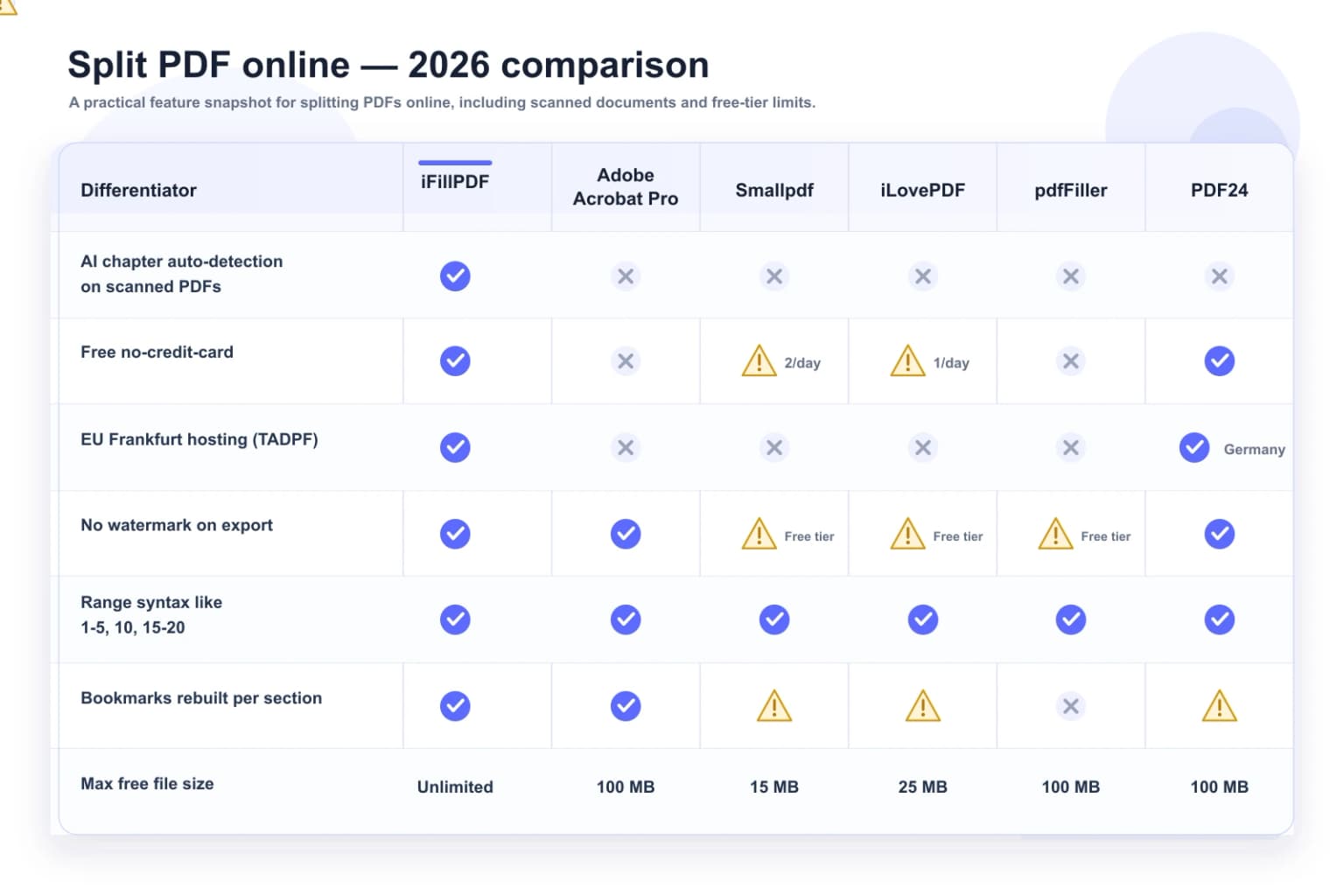
Smallpdf caps free users at 2 documents per day. iLovePDF caps file size at 25 MB on the free tier and adds watermarks past task #1 in some workflows. Adobe Acrobat online forces a sign-in after upload.…
EU Frankfurt hosting (TADPF) — anti Cloud Act
Static assets and any optional account data sit in Frankfurt eu-central-1 (Hetzner Falkenstein, ISO 27001 + EU TADPF certified) — outside the reach of the US Cloud Act and 50 USC §3024.…
Files named after your source, straight to your disk
Every part is named after your source file — document-part-1.pdf, document-part-2.pdf — and saved directly by your browser, one after another.…
Beats Adobe and Smallpdf on speed
A typical 50-page contract splits in under 3 seconds in your browser on a mid-range laptop (M1 MacBook Air or 2020+ Intel ThinkPad).…
Technical details
Cut any PDF into separate files in your browser via the PDF-lib engine — no upload, no signup, no Smallpdf 2-document-per-day free-tier cap, no Sejda 50 MB / 200-page / 3-task-per-hour limit. Two modes: one PDF per page, or custom ranges typed as 1-5, 10, 15-20 with no ceiling on how many ranges you list. Every part is downloaded as its own PDF, named after your source file. Files up to 100 MB, processed entirely in your tab. Hosted in Frankfurt eu-central-1 (Hetzner Falkenstein) under EU TADPF — outside the reach of the US Cloud Act and 50 USC §3024.
Previews and proof
Go further with lifetime access
E-signature proof log, business templates, no watermark. $8.99, one payment, for life — no subscription.
Frequently asked questions
How do I split a PDF online for free without signup?+
Drop your PDF into iFillPDF, pick a mode (one file per page, or custom ranges like 1-5, 10, 15-20), and download every part — no signup, no credit card, no email address asked. Adobe Acrobat online forces a sign-in after upload, pdfFiller forces a full account, and Smallpdf caps the free tier at 2 split tasks per day. We cap at zero. Most documents take 2-5 seconds end-to-end on a mid-range laptop.
Is iFillPDF really free with no daily limit?+
Yes. No signup, no credit card, no 2-document-per-day cap (the Smallpdf free-tier limit), no 25 MB ceiling (the iLovePDF free-tier limit), no 50 MB / 200-page / 3-task-per-hour cap (the Sejda free-tier triple limit), no 7-day Acrobat Pro trial gate ($19.99/mo after). Split 200 contracts in a row if you need to. The whole tool runs in your browser, so we have no per-file server cost to ration.
Is my PDF uploaded to your servers?+
Your PDF stays in your browser: iFillPDF splits entirely client-side using the PDF-lib WebAssembly engine. Your file never leaves your device — not to us, not to AWS, not to anyone. iLovePDF, Smallpdf, pdfFiller, Adobe Acrobat online and PDF24 all upload to their cloud, process server-side, then push the file back. Under GDPR Art. 4(2), processing implies the data is held by a controller — when the data never leaves your device, the legal risk surface disappears entirely.
Can iFillPDF split a PDF by chapter automatically?+
No — and any page telling you otherwise is overselling. iFillPDF gives you two modes: one output file per page, or the custom ranges you type (1-5, 10, 15-20). There is no chapter detection, no outline-based splitting and no AI pass over the table of contents. In practice, opening the PDF, noting where each chapter starts and typing four ranges takes about thirty seconds and gives you exact control; if you genuinely need bookmark-driven splitting on a 250-page thesis, Adobe Acrobat Pro ($19.99/mo) splits on existing top-level bookmarks and is the better tool for that one job.
Does the split preserve bookmarks, form fields and digital signatures?+
Partly, and it is worth knowing which parts. Page content, embedded fonts, images and AcroForm field widgets are copied across intact by pdf-lib, so a fillable page stays fillable. Two things do not survive: the document outline (bookmarks), which is not carried into the new files, and any digital signature, which by design covers the entire original document and is therefore invalidated the moment the file is split — no splitter can preserve it, whatever the marketing says. If you need a signed page as an exhibit, split first, then re-sign the extract.
How can I split a PDF to fit the Gmail 25 MB attachment cap?+
There is no automatic split-by-file-size mode in iFillPDF — you split by page ranges and check the sizes. The practical route: run the file through our PDF compressor first (three presets, all in-browser), and if it is still over 25 MB, split it in halves or thirds by range and send two emails. Adobe Acrobat Pro does offer split-by-size, but only in its desktop app. Useful context for the target: Gmail caps attachments at 25 MB, Outlook.com / Microsoft 365 and iCloud Mail at 20 MB.
How is iFillPDF different from Adobe Acrobat, Smallpdf, iLovePDF and Sejda?+
Three hard differences. (1) iFillPDF runs 100% client-side — Adobe, Smallpdf, iLovePDF, pdfFiller and PDF24 all upload your file to their cloud. (2) No daily cap: Smallpdf caps free users at 2 documents/day, Sejda at 3 tasks/hour, we cap at zero. (3) Frankfurt eu-central-1 under EU TADPF, outside the reach of the US Cloud Act — Adobe and Smallpdf process on US-East-1 AWS. For bookmark splitting, file-size splitting or bundled folder output, Acrobat Pro is the specialist workflow; iFillPDF is built for range-based, client-side splitting where the PDF stays in your browser.
Is iFillPDF GDPR-compliant?+
It is GDPR-by-design, not just compliant. Because no personal data ever leaves your device (the splitter runs in your browser via WebAssembly), there is no data transfer to log under GDPR Art. 30, no processor agreement to sign under GDPR Art. 28, no Transfer Impact Assessment to file under GDPR Art. 46. Static assets and any optional account data sit in Frankfurt eu-central-1 (Hetzner Falkenstein, ISO 27001 + EU TADPF certified), outside the reach of the US Cloud Act and 50 USC §3024. Even EU-hosted competitors still process your file on their infrastructure; iFillPDF keeps the split in your browser tab.
What is the maximum PDF size I can split?+
100 MB — the drop zone rejects anything larger, and below that the practical ceiling is your browser memory since everything runs in the tab. Compare: Smallpdf caps free users at 5 MB, iLovePDF at 25 MB, Sejda at 50 MB, pdfFiller at 100 MB like us. Adobe Acrobat online accepts up to 1 GB but forces a sign-in and a 1,500-page hard cap. A 500-page legal contract well under 100 MB splits in a few seconds on an M1 MacBook Air.
Does it work offline?+
Yes — once the iFillPDF page has loaded, you can disconnect from the internet and keep splitting PDFs. The WebAssembly engine runs entirely in your browser tab. Try that with iLovePDF, Smallpdf, pdfFiller, Adobe Acrobat online or PDF24 — all of them require a live connection to upload your file to their server.
More PDF tools
Keep going with a related tool — try without signing up, free account to download.