Add a watermark to your PDF
Stamp a text watermark across every page of your PDF. Pick the colour, opacity 10-80% and any angle. Free, no signup, no install — runs in your browser.
How it works
Upload your PDF
Drop your file — live preview appears instantly.
Choose your watermark
Start from a suggestion like CONFIDENTIAL or DRAFT, or type your own text. Pick one of eleven colours, set opacity in 10% steps from 10 to 80, and rotate from -180° to +180° in 15°…
Download stamped PDF
The watermark is drawn once across the centre of every page, sized automatically to the page and your text length, then the file is ready to share.
Why choose iFillPDF
Text watermarks, done properly
Type any text and it is drawn in bold Helvetica across the centre of every page, auto-sized to the page dimensions and the length of your text so a short DRAFT reads large and a long confidentiality notice still fits.…
Live preview on your own document
Colour, opacity and angle all re-render the preview as you change them, so you judge the result on your actual page rather than a sample.…
One placement: centred, every page
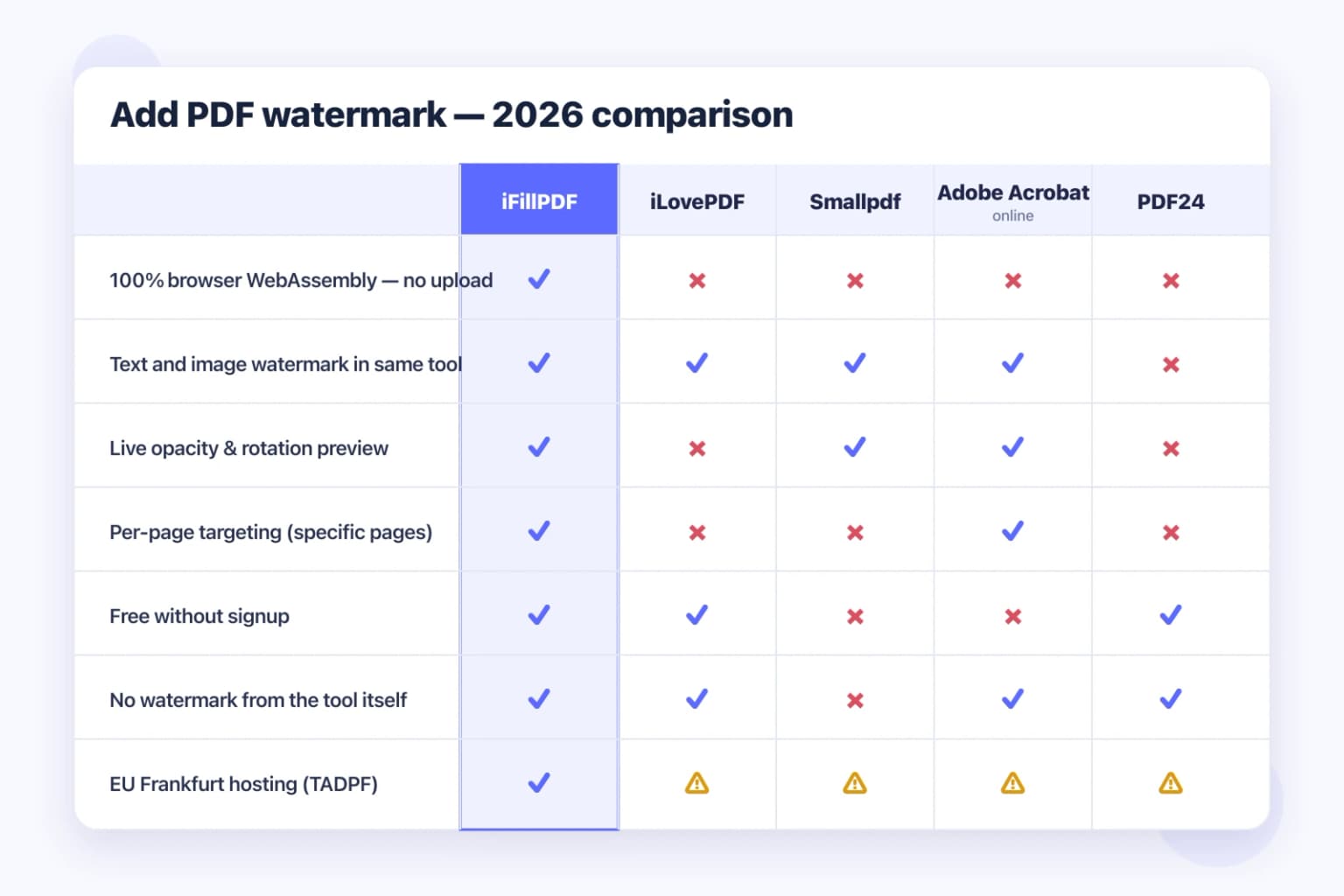
The watermark goes in the middle of every page in the document. There is no position picker, no tiling or repeat pattern, and no way to target only some pages.…
Browser-first
Watermarking runs locally — your PDF does not leave your machine.
Technical details
Stamp "CONFIDENTIAL", "DRAFT" or any text of your own across every page. Pick a colour, set the opacity from 10% to 80% and the angle anywhere from -180° to +180°, with a live preview as you go. Text watermarks only — there is no logo or image upload here.
Previews and proof
Go further with lifetime access
E-signature proof log, business templates, no watermark. $8.99, one payment, for life — no subscription.
Frequently asked questions
Is it really free?+
Yes, fully free with no signup. Watermark as many PDFs as you want.
Is my data safe?+
Yes — we host in Frankfurt (EU), AES-256 at rest. Files never leave your computer — processing happens client-side in your browser.
Can I use my own logo?+
No — this tool stamps text only, so there is no image or PNG upload. If you need a logo on the page, the iFillPDF editor lets you place an image field anywhere on a page and export from there; it is a different workflow, and free exports carry an iFillPDF watermark until you remove it with the one-time Lifetime payment.
Can I watermark only some pages?+
No — the watermark is applied to every page of the document. If you only need it on some pages, the workaround is to split the file with our free splitter, watermark the part that needs it, then merge the pieces back together; all three tools run in your browser, so the document never leaves your machine along the way.
More PDF tools
Keep going with a related tool — try without signing up, free account to download.