Yes, you can fill out any PDF form for free without Acrobat. Use Chrome's built-in PDF viewer for AcroForm files (instant, no install), an AI-powered online filler like iFillPDF for flat scans (no install, free account to download), or Mac Preview if you're on macOS. A full Adobe Acrobat Pro subscription is overkill for everyday form filling.
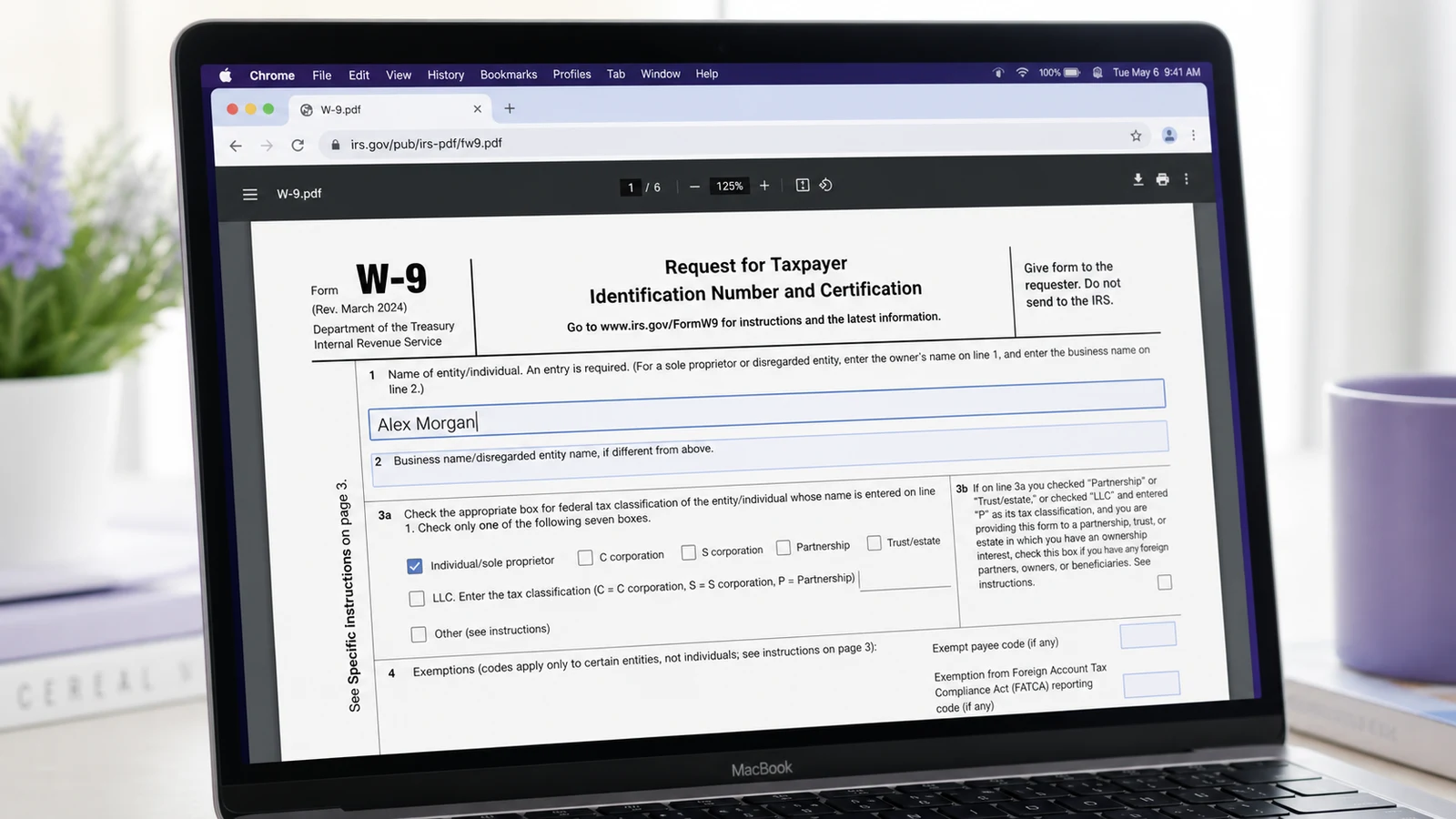
You just received a PDF form, you need to fill it in by tonight, and Acrobat Pro is a paid subscription you would rather not start for a single document. The good news: in 2026 you don't need Acrobat at all. Modern browsers, free tools, and a handful of AI-powered services can fill any PDF form, including flat scans, in a couple of minutes.
Here are five concrete ways to do it, with the trade-offs of each — and a comparison table at the end so you can pick the right one in 30 seconds.
Why Acrobat is overkill for filling forms
Acrobat Pro is a great tool for advanced PDF editing — redaction, OCR, batch processing, prepress. But for the everyday job of "open a form, type my name, sign, send back," it's overkill. The core problem is twofold: the price tag, and the install. You need to download a multi-gigabyte application, create an Adobe ID, and accept a license you'll never read.
In practice, PDF form work falls into three categories:
- AcroForm PDFs with native fields (tax forms, government applications)
- Flat scans with no real fields — just lines and boxes printed on paper, then scanned
- Hybrid PDFs where some pages have fields and others don't
All three can be handled without Acrobat.
Method 1 — Use your browser's built-in PDF viewer
The fastest free option for AcroForm PDFs: open the file in Chrome, Edge, or Firefox, type into the fields, and print to PDF. Zero install, zero signup, zero upload.
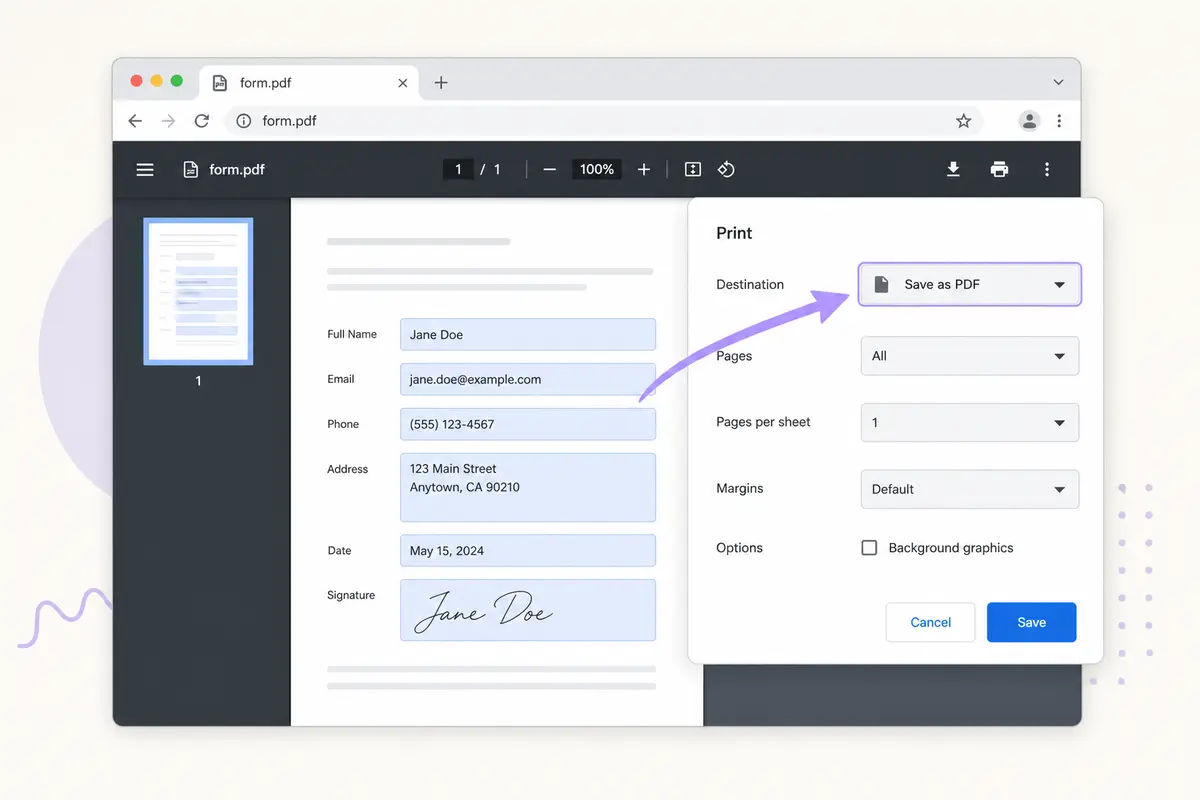
Chrome, Edge, and Firefox all ship with a PDF viewer that detects AcroForm fields. Open the PDF, click on a field, type. When you're done, hit Ctrl+P (or Cmd+P on Mac) and choose "Save as PDF" — your filled values get baked into a new file.
Browser support:
- Chrome / Edge (Chromium): full AcroForm fill + checkbox/radio + dropdowns; Edge adds ink signature
- Firefox: PDF.js based, fills text fields, checkboxes, radio buttons; signatures via add-on
- Safari: AcroForm fill + Markup integration on macOS/iOS
Limits: works only on PDFs that already have real form fields. Flat scans are read-only. Signatures aren't supported natively in Chrome/Firefox, only Edge (ink-signature tool) and Safari (via Markup).
Method 2 — Preview on Mac (built-in)
On macOS, Apple Preview fills PDF forms for free — and it ships pre-installed. It handles AcroForms, ink signatures, and saves natively in .pdf.
If you're on macOS, Preview handles forms cleanly. Open the PDF, click on a field, type. For signatures, use Tools > Annotate > Signature > Manage Signatures to draw or scan one in. Save with Cmd+S.
The catch: Preview can't detect fields that aren't real AcroForms. For flat scans, you'll need to use the Text annotation tool to overlay text manually — fiddly, but workable.
Method 3 — A free online PDF filler
The only free option that handles flat scans (no real form fields) is an AI-powered online filler. Browser viewers and desktop apps require the PDF to already be a fillable AcroForm — scans need AI to detect where the boxes should be.
Online tools have caught up with desktop apps: several now detect fields with AI, including on flat scans. With iFillPDF's free PDF filler, the AI scans your form, identifies every text box, checkbox and signature zone, and fills them in as you type — including on scans. You can fill without an account and sign in, for free, when you download; files are processed on EU servers (Frankfurt) for GDPR-sensitive forms.
Other options worth knowing, and what their free tiers allow:
| Tool | Free tier | Watermark on free export | Signup | Hosting |
|---|---|---|---|---|
| iFillPDF | Unlimited fills | Yes, small footer | Account required to download | EU (Frankfurt) |
| PDFescape | 10 MB / 100 pages | No | No | US |
| Sejda | 3 tasks/hour, 200 pages / 50 MB | No | No | US / EU |
| Smallpdf | 2 tasks/day | No | No | Switzerland |
| DocFly | 3 downloads/month | No | No | US (AWS) |
| PDF24 Tools | Unlimited | No | No | Germany |
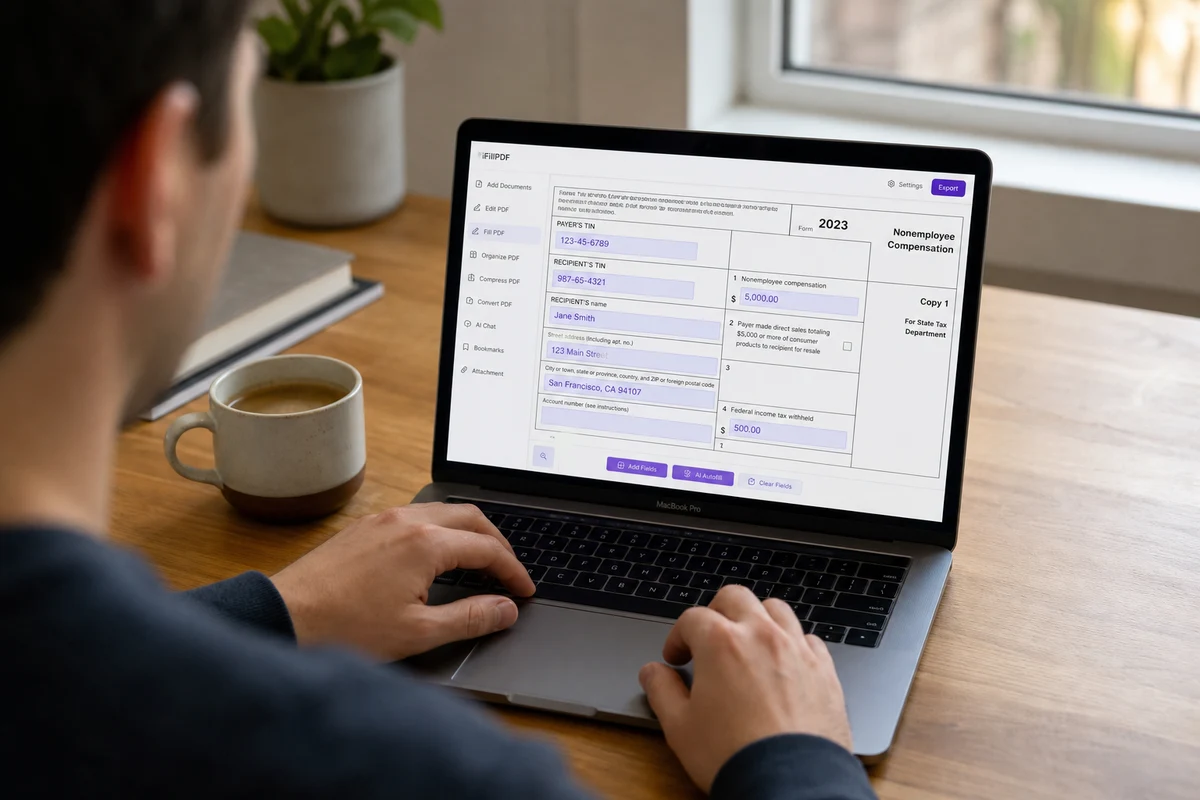
What sets AI-powered tools apart is that they work on scans. Drop a scanned tax form in, and the fields appear as if they were native — no need to draw text boxes by hand. If your PDF has no real fields and you also need to convert it into a reusable interactive template, that's a different workflow worth knowing.
Method 4 — A free desktop alternative (Foxit, PDF-XChange)
For sensitive forms (medical, legal, government) where uploading to a third-party server is a non-starter, a local desktop app is the safest path. Foxit Reader and PDF-XChange Editor are both free for personal use and process everything on your machine.
If you prefer a local app for privacy reasons, two free desktop tools stand out:
- Foxit Reader (Windows, Mac, Linux): handles AcroForms, supports e-signatures, desktop install
- PDF-XChange Editor (Windows): free tier with annotation, OCR and form filling
Both are genuinely free for personal use. The downside: they don't auto-detect fields on flat scans, so if you regularly receive scanned forms, you'll be back to manually overlaying text boxes.
Method 5 — Mobile (iPhone or Android)
To fill a PDF form on a phone for free, use Markup on iPhone (built-in) or Xodo on Android (free, no signup). Both handle AcroForms and ink signatures without leaving the phone.
On iPhone, the Files app combined with Markup lets you fill any AcroForm PDF straight from email. Tap the PDF, tap the markup pencil, choose Text or Signature.
On Android, Google Drive opens PDFs and fills basic forms. For more, open iFillPDF's mobile signing tool in your browser, or install any of the major free apps (Xodo, WPS Office, Foxit Mobile).
The mobile workflow shines when someone emails you a form on the go — no need to wait until you're back at your laptop.
Which method should you use?
The right tool depends on three things : whether your PDF has real fields or is a flat scan, your device, and how privacy-sensitive the form is. Here's the matrix that solves it in 30 seconds.
| Method | Best for | Cost | Mobile | Privacy | AI scan detection |
|---|---|---|---|---|---|
| Chrome / Edge / Firefox | Real AcroForms (any OS) | Free forever | ✅ Mobile browsers | Local | ❌ |
| Mac Preview | AcroForms on macOS | Free (built-in) | iOS via Markup | Local | ❌ |
| iFillPDF | Flat scans, signatures | Free (account to download) | ✅ Mobile web | EU (Frankfurt) | ✅ |
| Foxit Reader | AcroForms + privacy | Free (desktop install) | ✅ Mobile app | Local | ❌ |
| iOS Markup | AcroForms on iPhone | Free (built-in) | ✅ Native | Local | ❌ |
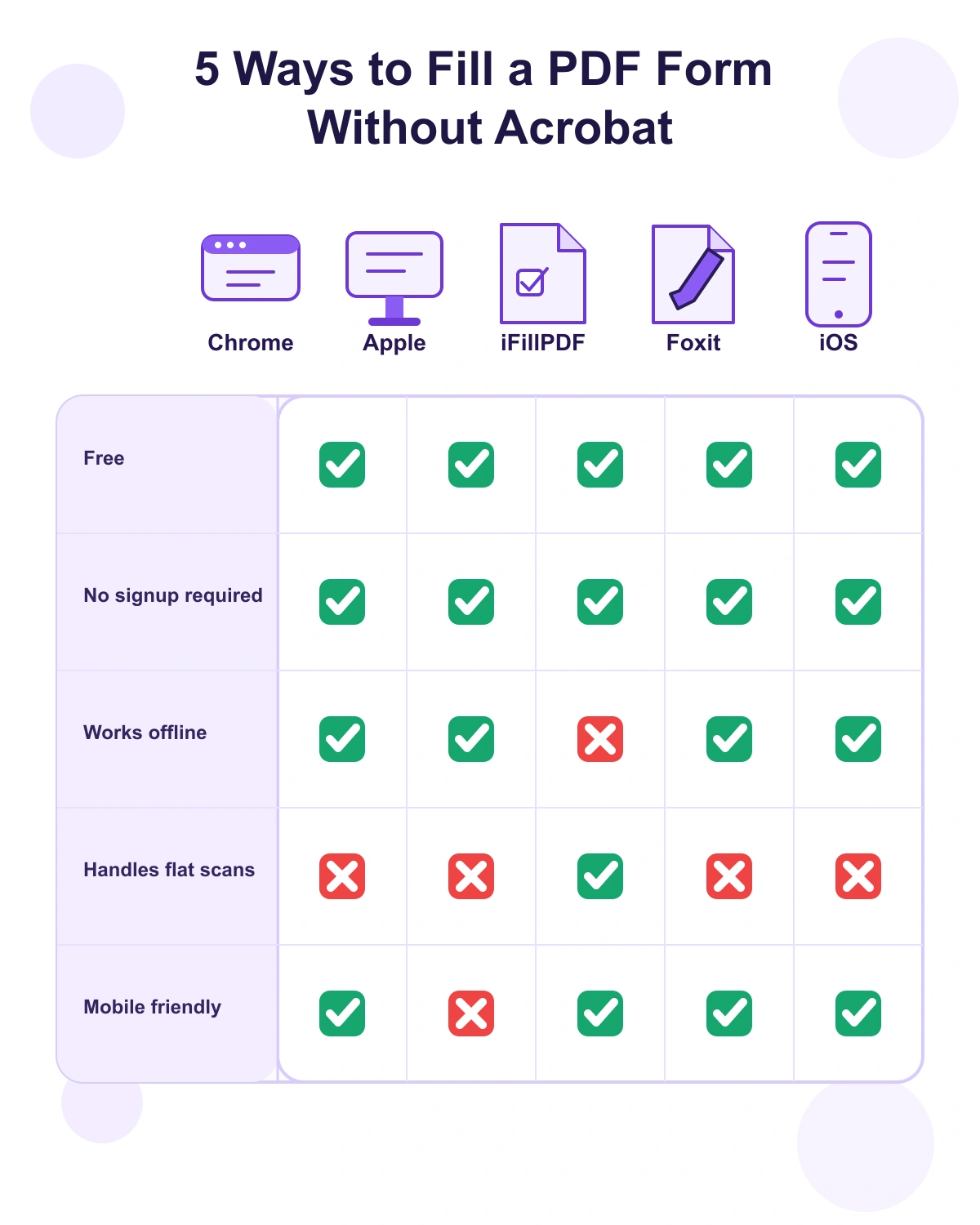
For most people, the fastest path in 2026 is a browser-based AI filler. You don't install anything, fields get detected automatically even on scans, and the file never leaves the EU if you pick a GDPR-compliant tool. If you also need to add a legally-binding signature, our guide on eIDAS-compliant electronic signatures covers the difference between simple, advanced and qualified levels.
FAQ
Can I fill out a PDF form without downloading Adobe? Yes. Any modern browser (Chrome, Edge, Firefox, Safari) can fill PDF forms with native AcroForm fields. For flat scans, an AI-powered online filler like iFillPDF detects the field positions automatically without requiring an Adobe download.
How do I fill a PDF form on my phone for free? On iPhone, open the PDF in Files or Mail and tap the Markup icon (pencil top-right) to add text and signatures. On Android, install Xodo or open the PDF in Google Drive's preview, then tap the pencil icon. Neither requires a signup or a paid app.
Is it safe to fill PDF forms online without uploading to a server? Browser viewers (Chrome, Edge, Firefox) and desktop apps (Foxit, Preview) process everything locally — your file never leaves your device. Online tools do upload your file, so for sensitive data (tax ID, medical records, legal contracts) prefer a local-only option, or pick an online service with documented EU hosting and a GDPR Data Processing Agreement.
Can I sign a PDF form without Acrobat? Yes. Mac Preview, iOS Markup, Edge, Foxit Reader and most online fillers all support drawing or uploading a signature image. For legally-binding signatures (contracts, NDAs, government forms), use a service that issues an eIDAS-compliant signature certificate — most generic "draw your signature" tools produce a simple electronic signature, which is legally valid in the EU/US for everyday documents but won't satisfy notarized requirements.
How do I fill a flat scanned PDF without form fields? Browser viewers and Mac Preview leave flat scans as plain page images, so you would have to manually overlay text boxes one by one. An AI-powered filler like iFillPDF uses AI-based OCR to recognize content in the scan, detect the fields, and create fillable zones automatically, so you just click and type as you would on a real AcroForm.
Is there a truly free PDF filler with no signup, no watermark, and no upload limit? PDF24 Tools (German, GDPR-compliant) is unlimited and ad-free with no signup. iFillPDF lets you fill unlimited PDFs with AI field detection and no signup (you only sign in to download); free exports carry a small watermark that a paid plan removes. When a tool advertises "100% free unlimited, no watermark, no ads, no signup", check its privacy policy to see how it is funded.
Ready to fill your first PDF?
Skip the subscription and the multi-gigabyte download. Drop your form into iFillPDF's free fill-PDF tool, let the AI map every field, type your answers, sign if needed, and export. Filling needs no account; you sign in — free — to download, and free exports carry a small footer watermark. Open the PDF you've been putting off and get it done now.