TL;DR — Yes, electronic signatures on PDFs are fully legally binding: in the United States under the ESIGN Act (15 U.S.C. §7001) and in the European Union under eIDAS Regulation 910/2014, Article 25.1, which forbids courts from denying legal effect to a signature solely because it is electronic. We compared 6 free eSign tools across audit trail, signature level (SES vs AES), and EU hosting so you can pick the right one. iFillPDF signs without a signup and without a monthly cap, hosts in EU Frankfurt, and records every send with a timestamp and a SHA-256 fingerprint of the file — a simple electronic signature with the evidence that makes it hold up.
Are free eSignatures legally binding?
Yes — and the law is unambiguous on both sides of the Atlantic.
In the United States, the Electronic Signatures in Global and National Commerce Act (ESIGN Act, 15 U.S.C. §7001) states that "a signature, contract, or other record relating to such transaction may not be denied legal effect, validity, or enforceability solely because it is in electronic form." It has applied to interstate and foreign commerce since 2000, and is mirrored at the state level by the Uniform Electronic Transactions Act (UETA), adopted by 49 states.
In the European Union, the eIDAS Regulation (EU Regulation 910/2014, Article 25.1) provides equivalent protection: "An electronic signature shall not be denied legal effect and admissibility as evidence in legal proceedings solely on the grounds that it is in an electronic form." eIDAS recognizes three levels: Simple Electronic Signature (SES), Advanced Electronic Signature (AES), and Qualified Electronic Signature (QES). For a deeper breakdown of the three tiers and when each is required, see our guide on electronic signatures and eIDAS.
What makes a free eSignature defensible in court is not the law — it is the audit trail. Tools that capture signer IP, timestamp, email verification, and embed a tamper-evident hash inside the PDF are admissible. Tools that only paste a PNG of your signature are not, because there is no way to prove who signed.
Method 1 — iFillPDF, DocuSign Free, HelloSign, Adobe Sign Free
This is the route for any document with legal stakes: contracts, NDAs, employment offers, freelance invoices. The tools below all produce a signed PDF with a verifiable audit trail. The differences are in pricing limits, signature level (SES vs AES), and where your data is hosted.
| Tool | Free signatures / month | External signers | Audit trail | EU hosting | Signature level |
|---|---|---|---|---|---|
| iFillPDF | Unlimited (no signup to sign, account to download) | Yes | Yes (timestamp + SHA-256 document fingerprint) | Yes (Frankfurt) | SES |
| DocuSign Free | 3 | Yes | Yes | No (US default) | SES |
| HelloSign (Dropbox Sign) | 3 | Yes | Yes | No | SES |
| Adobe Sign Free | 2 / 7-day trial then paid | Trial only | Yes | Optional (paid) | SES |
| Smallpdf eSign | 2 (then paywall) | No | Limited | Yes (Switzerland) | SES |
| DigiSigner | 3 | Yes | Basic | No | SES |
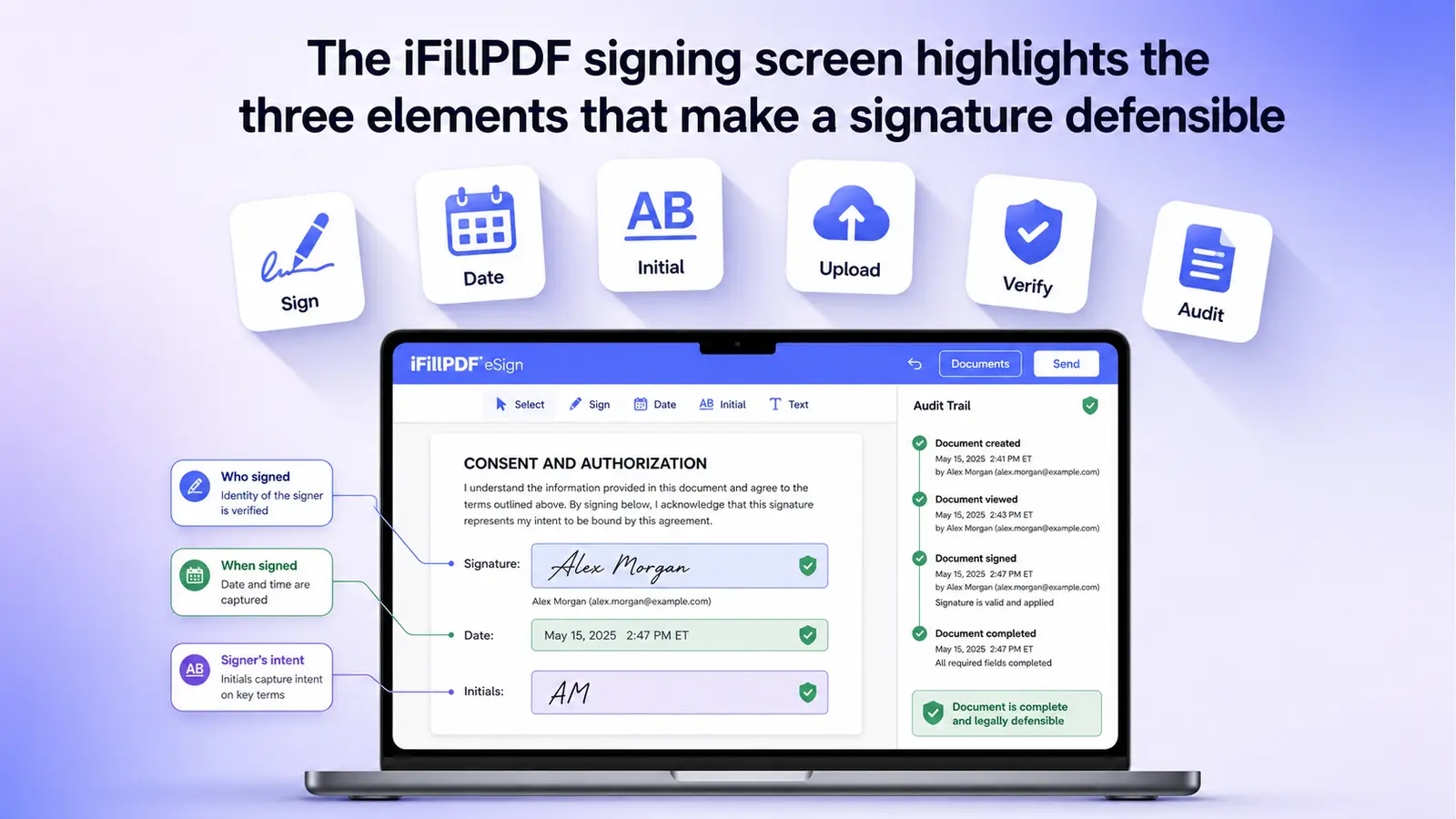
The practical takeaway: if you sign more than a couple of documents a month or send to external counterparties, the "free" tier of DocuSign, HelloSign, and Adobe runs out fast. iFillPDF gives you unmetered signing — you can sign without an account and only need one to download the file — and every document you send for signature is recorded with a timestamp, an optional access code for the recipient, and a SHA-256 fingerprint of the exact bytes that were sent, so you can prove later that the copy in dispute is the copy you sent. That is a simple electronic signature (SES) with a solid evidentiary record around it, not an advanced signature backed by a certificate authority — if your contract specifically requires AES or QES, use a qualified trust service provider.
Method 2 — Mac Preview / iOS Markup (built-in, basic)
Both macOS Preview and iOS Markup let you draw a signature with your trackpad, finger, or Apple Pencil and paste it onto any PDF. Zero cost, zero signup, works offline.
The catch: this is a Simple Electronic Signature (SES) with no audit trail. There is no proof of identity, no timestamp embedded, no tamper-detection. Use it for low-stakes documents only — internal acknowledgments, casual letters, attendance sheets. Never use Preview for a contract, NDA, or anything with a financial or legal counterparty. If they later dispute the signature, you have nothing to show in court beyond "I drew it on my Mac."
For the in-between case — you need a quick signature but also a record of what was signed and when — use iFillPDF's sign PDF tool, which takes about as long as Preview and leaves you with a send record and a document fingerprint instead of nothing.
Method 3 — Browser draw + sign
Browser tools like iFillPDF sign-pdf, Sejda, and PDF24 let you upload a PDF, draw your signature with the mouse or touchscreen, and download the signed file. No installation. Works on Chromebooks, Linux, and locked-down corporate machines.
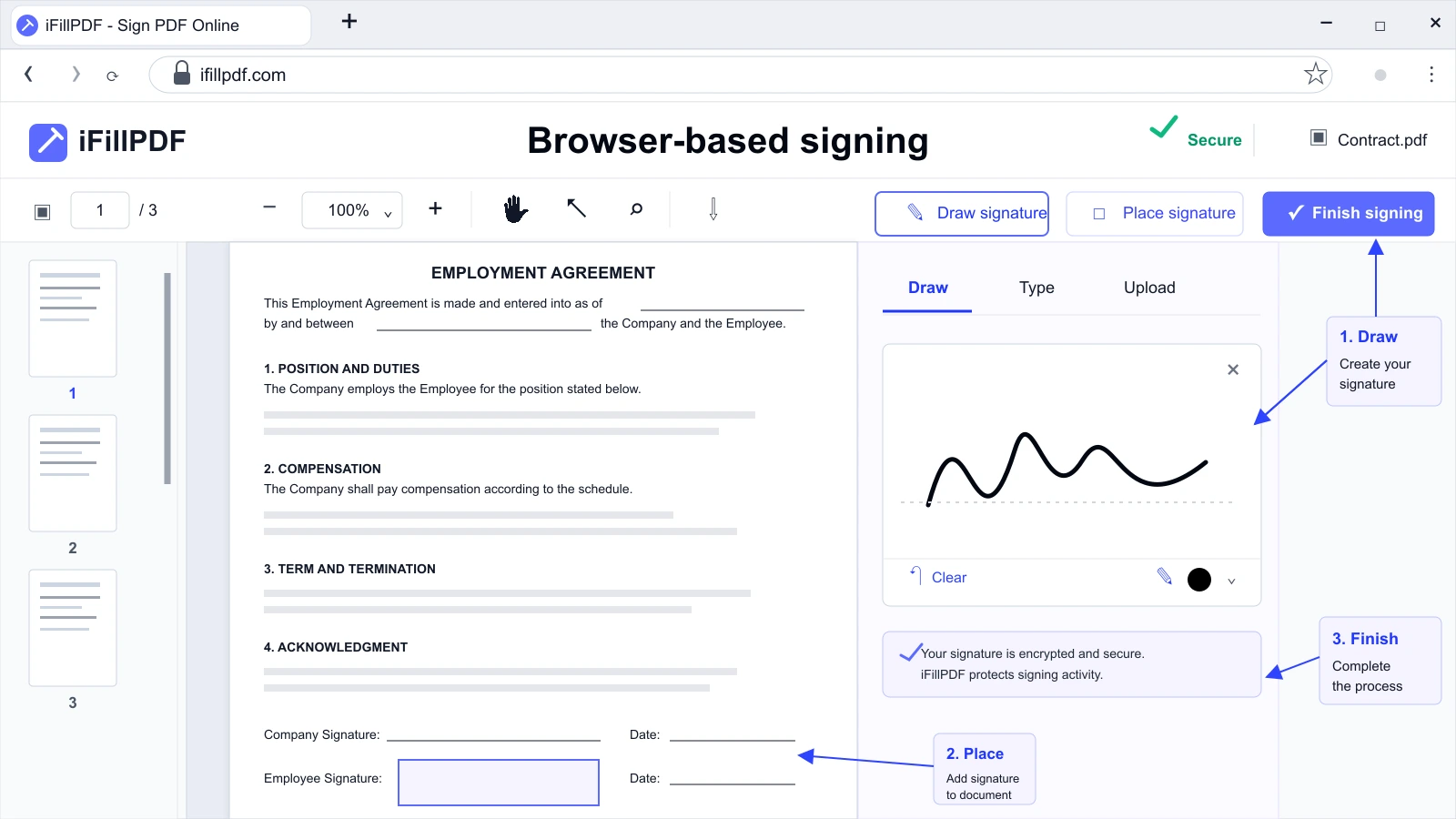
The user experience matters more than you would think. Tools that force you to register an email before showing the editor add 60+ seconds of friction. iFillPDF skips this on the first signature. After signing, you can also fill the form fields in the same session, or merge the signed contract with annexes before sending.
Choosing the right level
The decision between SES and AES is mostly about the consequences of a dispute:
- SES is enough for: order confirmations, internal HR forms, school permission slips, gym waivers, casual NDAs between known parties.
- AES is required for: employment contracts, freelance/client agreements above ~€1,000, real estate documents, supplier contracts, B2B SaaS terms with EU customers.
- QES is required for: notarial acts, certain public-sector procurement, French acte d'avocat, German Schriftform substitutes.
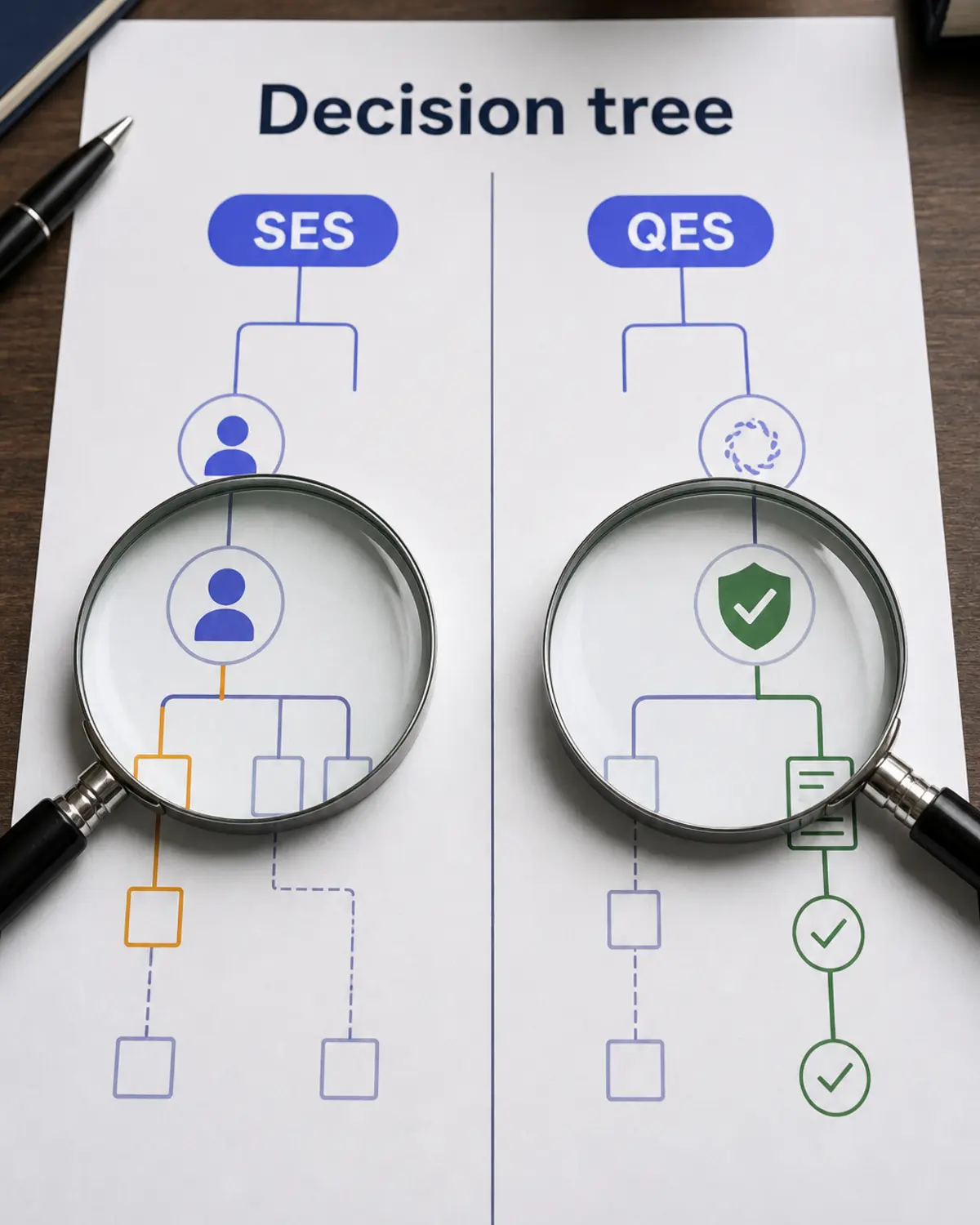
If you are not sure which level you need, look at what happens if the other party denies signing. A SES with a real record around it — who it was sent to, when, and a fingerprint of the file — covers far more everyday contracts than the SES/AES labels suggest. When the law or the counterparty names AES or QES, go to a qualified trust service provider; there is no free shortcut to that level.
FAQ
Is DocuSign really free? DocuSign offers a free account with 3 signature requests per month. Beyond that you need a paid plan. The free tier also has limited templates and no in-person signing. iFillPDF lets you sign unlimited documents.
How many free signatures per month do I get? It depends: DocuSign 3, HelloSign 3, DigiSigner 3, Smallpdf 2, Adobe Sign 2 (trial only), iFillPDF uncapped. If you sign more than once a week, the metered free tiers run out first.
Can I eSign on iPhone for free? Yes. iOS Markup (built into the Files app and Mail) lets you sign any PDF for free, but produces only an SES with no audit trail. For a signature with a record attached on iPhone, use a browser-based tool like iFillPDF sign-pdf — the mobile UI is fully responsive and the send record is the same as on desktop.
Why does the audit trail matter? Because under both ESIGN Act and eIDAS, the burden of proving who signed falls on the party relying on the signature. An audit trail with signer IP, verified email, and a timestamp converts a "he signed it" claim into a documented record. Without it, a counterparty can simply deny the signature and you have nothing to rebut.
Is drawing a signature better than typing one? Legally, no — both are valid SES under ESIGN and eIDAS. Practically, a drawn signature is harder to repudiate because it is biometrically distinctive (pressure, speed, shape). For high-value contracts, draw it. For routine documents, typing is fine.
Get started in under a minute
The fastest path to a legally binding signed PDF: open iFillPDF sign-pdf, drop your file, draw or type your signature, and download. No signup to sign, EU Frankfurt hosting, and a send record with a timestamp, an optional access code and a SHA-256 fingerprint of the file — the evidence that turns a signature into something you can stand behind.