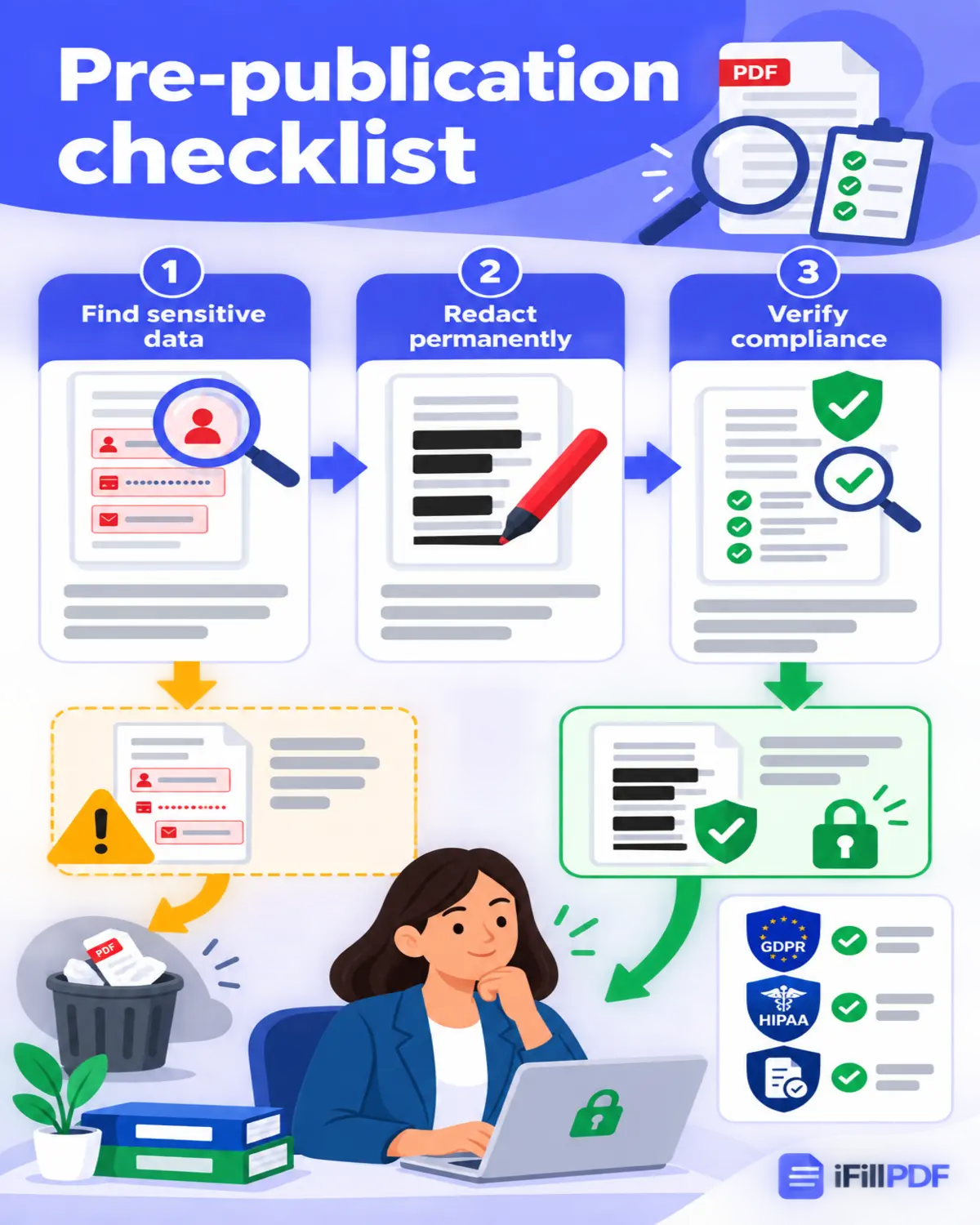
TL;DR — True PDF redaction permanently deletes the underlying bytes (text, metadata, OCR layers) from the file, while a fake redaction only paints a black rectangle on top of still-extractable content. The wrong tool has leaked settlement terms, exposed named individuals and drawn disciplinary sanctions. Below are four methods (Adobe Acrobat Pro, the iFillPDF eraser, CLI with qpdf, and the GDPR/HIPAA compliance checklist) that aim at true byte-level removal.
The fake-redaction trap (and the lawsuits it caused)
A fake redaction is any "black box" drawn on top of a PDF using an annotation tool, a shape, a highlighter set to black, or even a screenshot pasted over the text. The bytes underneath remain in the file. Anyone can copy-paste, run pdftotext, or open the document in a free editor to read what you tried to hide.
Two widely reported cases show what that costs:
- Paul Manafort court filing (2019) — defense lawyers covered passages with black rectangles that left the text in the file; reporters copy-pasted the "redacted" sections straight out of the PDF, surfacing material the special counsel was still investigating.
- NSA document published by The New York Times (2014) — the paper drew black bars over the name of an NSA employee and one of the program's targets, but the text stayed selectable underneath. Cryptome recovered all three redactions by highlight-and-copy within a day of publication.
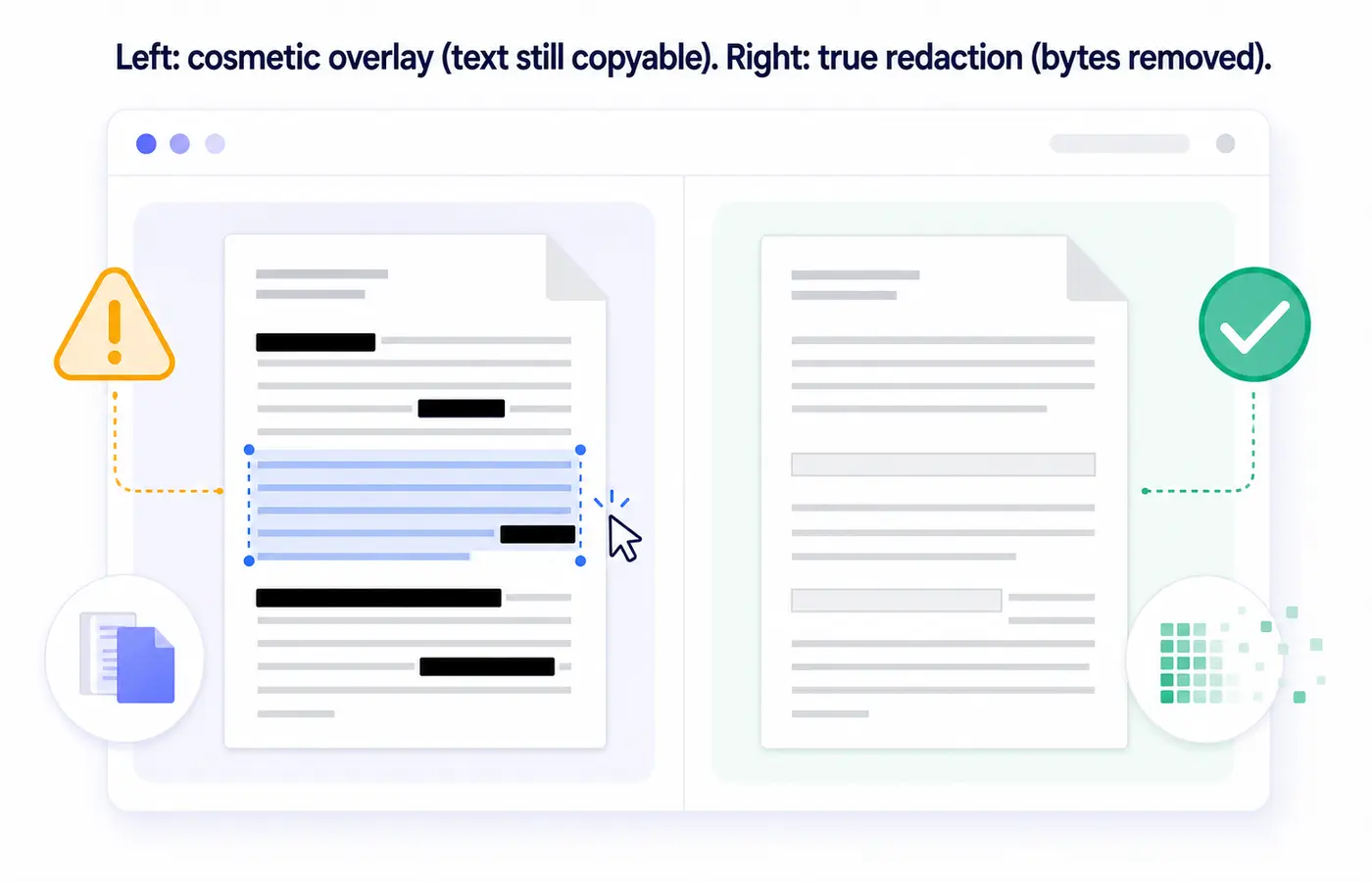
The test is simple: open your "redacted" PDF, press Ctrl+A then Ctrl+C, paste into a text editor. If you see the supposedly hidden text, the redaction failed.
Method 1 — Adobe Acrobat Pro Redact
Adobe Acrobat Pro DC is the implementation most legal and compliance workflows are written around, and its Redact tool does three things in one pass: it deletes the marked text from the content stream, scrubs the document metadata (Sanitize Document), and removes hidden layers, comments and form field data.
Procedure:
- Open the PDF in Acrobat Pro (not Reader — Reader has no redact tool).
Tools→Redact→Mark for Redaction→ drag over the sensitive content. You can also useFind Text & Redactto pattern-match SSNs, credit cards, emails.- Click
Apply— Acrobat warns you the action is irreversible. - Critical second step:
Sanitize Documentto strip metadata, JavaScript, embedded files and revision history. Without this, your author name, edit timestamps and previous versions stay in the file. - Save as a new file (never overwrite the original — keep an unredacted master in a secure vault).
Method 2 — iFillPDF / PDFescape / DocFly online redaction
For users who don't want an Acrobat subscription or a desktop install, browser-based redactors do the job — but only if they perform real byte deletion, not just a cosmetic cover-up. Here are five tools legal and HR teams commonly test against. Each cell states a checkable capability, not a score:
| Tool | Free tier | True redaction (not cosmetic) | OCR text-layer scrub | Batch | EU hosting | Signup required |
|---|---|---|---|---|---|---|
| iFillPDF | Yes | Yes (byte-level) | Yes | No | Yes (Frankfurt) | To download only |
| Smallpdf | Limited | Yes | No | Pro only | Switzerland | Yes after 2 docs |
| iLovePDF | Yes | Yes | No | Pro only | Spain | No |
| PDFescape | Yes | Partial | No | No | US | No |
| DocFly | 3 docs/day | Yes | No | Yes | US | Yes |
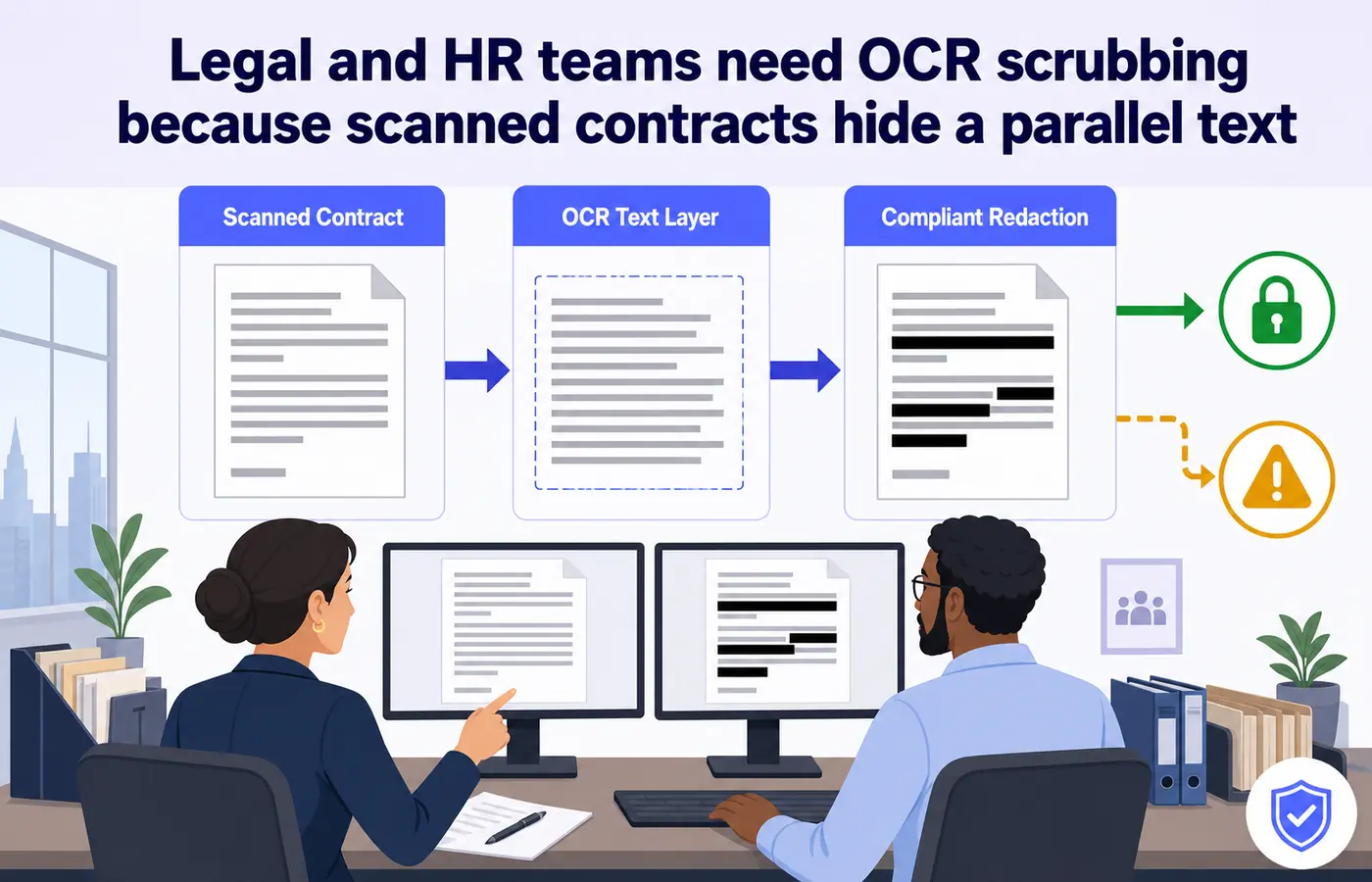
The OCR scrub column matters more than people realize. If your PDF was scanned (a signed NDA, a medical record), the text layer added by OCR sits invisibly behind the image. Redacting only the visible image leaves the OCR text intact and copyable. iFillPDF handles this as a side effect of how it works: a page you erase on is rebuilt from a flattened raster, so no text layer survives on it — the OCR layer included. Acrobat Pro strips both layers too, through its explicit redact-then-sanitize pass.
Method 3 — qpdf + sed (CLI for advanced users)
For automation pipelines and bulk redaction, the open-source qpdf library combined with sed gives you reproducible, scriptable redaction:
qpdf --qdf --object-streams=disable input.pdf uncompressed.pdf
sed -i 's/CONFIDENTIAL_TERM/XXXXXXXXX/g' uncompressed.pdf
qpdf --linearize uncompressed.pdf redacted.pdf
rm uncompressed.pdf
Danger: this technique only works for direct text strings in non-encrypted PDFs. It will NOT redact text inside compressed streams, form fields, embedded fonts with custom encoding, or scanned images. Always verify with pdftotext redacted.pdf - | grep CONFIDENTIAL_TERM — if grep returns anything, redo with a real tool. For court filings, never rely solely on CLI; use Acrobat Pro or the iFillPDF eraser as the source of truth.
Compliance angle: GDPR, HIPAA, attorney-client privilege
Redaction failures are not just embarrassing — they trigger statutory penalties.
- GDPR Article 5(1)(f) requires "appropriate security" for personal data. National data protection authorities have sanctioned controllers who published documents where "redacted" names were still extractable — the cover-up is not a security measure.
- HIPAA 45 CFR §164.514(a) Safe Harbor requires removal of 18 specific identifiers; CMS has issued breach notices when covered entities published "redacted" PDFs with extractable PHI.
- Attorney-client privilege — California State Bar opinion 2020-203 holds that a lawyer who produces a fake-redacted document waives privilege over the disclosed content; courts have refused to "claw back" leaked privileged material.
FAQ
Is black box redaction safe?
No. A black rectangle drawn as an annotation, shape or highlighter is purely visual. The text underneath stays in the file and is recoverable in seconds with copy-paste, pdftotext, or any free PDF editor. Use a true-redaction tool that deletes the bytes.
Does Adobe Reader free have redact? No. Only Adobe Acrobat Pro DC (paid) includes the Redact tool. Reader can view redacted PDFs but cannot create them. Free alternatives that perform true redaction include iFillPDF, iLovePDF and PDF24.
Free vs paid redaction tools — which to pick?
For occasional personal use, free browser tools like iFillPDF or iLovePDF are enough — they perform real byte deletion. For regulated work (legal, healthcare, finance) with audit requirements and high document volume, Acrobat Pro adds what the free tools do not have: an explicit Sanitize Document pass that also strips metadata, JavaScript, embedded files and revision history.
Can a redacted PDF be unredacted?
A truly redacted PDF (bytes deleted) cannot be reversed — the information is gone. A cosmetically "redacted" PDF (black box overlay) can be unredacted instantly by anyone who opens it. This is why verification with pdftotext or copy-paste is mandatory before publishing.
Does redaction remove the OCR text layer? Only if your tool explicitly handles OCR. Scanned PDFs often have a hidden text layer added by OCR software that sits invisibly behind the image. Painting over the visible image leaves the OCR text intact. iFillPDF rebuilds an erased page from a flattened raster, so no text layer is left on it at all; Acrobat Pro strips both layers through its redact pass. Many free tools remove only the visible content.
Redact your first PDF — no signup, true byte deletion
Stop trusting black rectangles. Open the iFillPDF eraser, drag a rectangle over the sensitive content, and download a file in which the erased page has been rebuilt without the original text objects — nothing left to copy-paste, OCR layer included. Erasing needs no account; a free account is asked for at the download step. Processing runs on EU infrastructure in Frankfurt. Note that the document /Info fields (title, author, producer) are carried over to the new file, so run a separate metadata pass if your disclosure requires one.
Need to combine workflows? After redacting, use Fill PDF to complete the redacted form, Sign PDF to add a legal signature, or Compress PDF to shrink the final file before email.