TL;DR — You can edit a PDF online for free in under 60 seconds without installing anything. The catch: most "free" editors hide a wall — watermarks (PDFescape free tier), forced signup (Adobe Acrobat full editor), task limits (Smallpdf: one task per day), or quiet upload of your file to a third-party server. Below we compare the six most-used free PDF editors of 2026 on the things that actually matter — watermark, signup, file size, EU hosting, AI assist — and tell you which to pick for which job.
How to edit a PDF online for free in under 60 seconds
Open any browser, drop your PDF into a free editor, click the text or image you want to change, then download the modified file. The whole flow takes 30 to 60 seconds for a typo fix and 2 to 3 minutes for a multi-field form. No download, no account on most tools, no Adobe Acrobat license.
The four-step pattern is identical across every free editor in this guide:
- Upload — drag the PDF onto the page or click "Select file". File size limit ranges from 10 MB (Smallpdf free tier) to 500 MB (Canva).
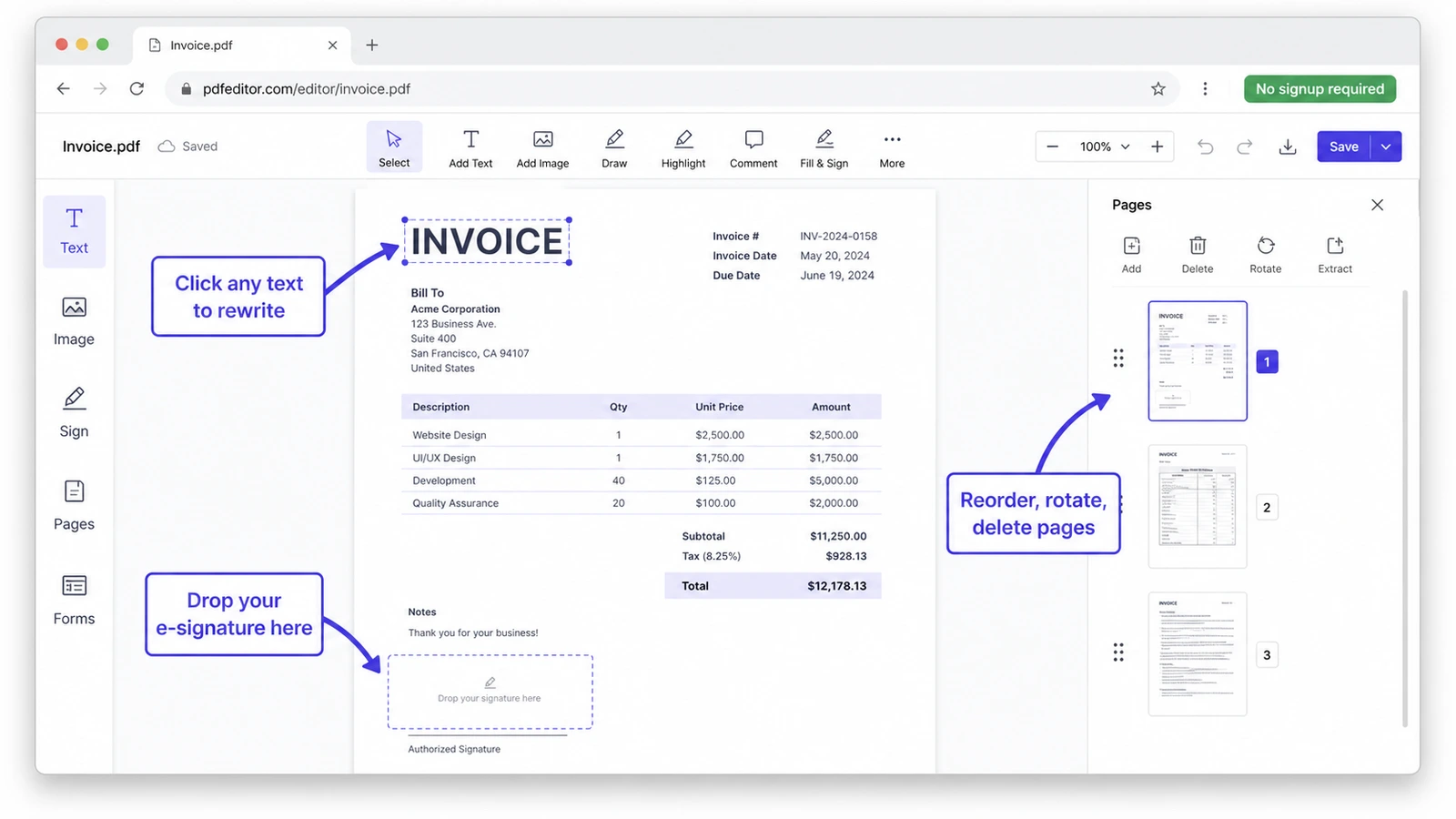
- Edit — click directly on text to rewrite it (pdfFiller, iFillPDF, Sejda) or place a new text box on top (Adobe free editor, Canva). Add images, signatures, redactions, or rearrange pages.
- Sign or fill if needed — most editors include an e-signature tool that is legally valid in the U.S. under the ESIGN Act and UETA, and in the EU under eIDAS for simple electronic signatures.
- Download — save back as PDF. Some editors also export to Word, Excel, or images.
The single biggest differentiator between editors is whether you can rewrite existing text versus only stack a new text box on top of it. Most "free" editors only do the latter — meaning your edit looks visibly pasted on. Tools that edit native text properly (pdfFiller, Sejda) preserve fonts, alignment, and the original PDF structure; iFillPDF sits between the two models — it places editable fields and text on the page rather than rewriting the original content stream, which keeps the underlying document intact.
Comparison: 6 best free PDF editors in 2026
Six tools dominate Google's first page for "edit pdf online free" — and not one is free of trade-offs. Below is a side-by-side audit of watermark policy, signup requirement, where your file is hosted, AI features, and mobile support, taken from each vendor's public documentation and trial flow. Paid-plan prices move too often to print — check the pricing page on the day you decide.
| Editor | Watermark on free | Signup required | EU hosting option | AI assist | Mobile (browser) |
|---|---|---|---|---|---|
| iFillPDF | Yes, on export (removable with a paid plan) | No (free tier) | Yes (Frankfurt) | Yes (AI scan & field detection) | Yes |
| Canva | No | Yes | Region-dependent | Yes (Magic Edit, Pro only) | Yes (app + browser) |
| Adobe Acrobat online | No | Yes (for full edit) | Yes (enterprise) | Yes (AI Assistant, paid add-on) | Yes |
| Smallpdf | No (but daily task limit) | No (free tier, capped) | Yes (Switzerland) | Limited | Yes |
| iLovePDF | No | No (free tier) | Yes (Spain) | No | Yes |
| PDFescape | Yes on free tier (legacy) | No (free in-browser) | No (US-hosted) | No | Limited |
A few things this table makes obvious. iLovePDF is the cheapest paid plan at $7/month, useful if you handle lots of PDFs but don't need AI. Adobe is the most expensive at $19.99/month for the Standard plan, and the free version only lets you add comments and drawings — full text editing requires the paid Pro tier or a 7-day trial. Smallpdf has no watermark but caps free users at roughly one task per day per tool, which is the most common reason people hit a paywall mid-flow. PDFescape is the only major free editor that still adds a watermark on its free in-browser tier — a holdover from the 2010s that few modern users tolerate.
iFillPDF is the only tool in this list with an AI scan-and-field-detection layer that works in the free tier and hosts uploaded files in Frankfurt under GDPR. We built it for the mid-2020s reality where people hand over PDFs containing salary, social security numbers, and contract clauses, and want to know exactly which jurisdiction their bytes are sitting in.
What "free" actually means in each editor
Almost every PDF editor calls itself "free" — but the word covers very different things. Here's the unspoken definition behind each headline, distilled from each vendor's own terms of service and pricing page in May 2026.
- Canva — "free" means free forever for the editor itself, but you must create a Canva account, and the platform converts your PDF into Canva design elements rather than editing the PDF natively. Some fonts and images won't survive the conversion. (Source: Canva PDF editor terms)
- Adobe Acrobat online — the free editor only adds comments, sticky notes, highlights, and freehand drawings. Editing the underlying text or images requires a paid Acrobat plan after the free trial. (Source: Adobe Acrobat product page)
- Smallpdf — "free" means one document per tool per day on the free tier, with a forced wait if you exceed it. Heavy users hit the paywall within minutes. (Source: Smallpdf pricing)
- iLovePDF — generous free tier (no signup for basic edits), but advanced workflows like batch and OCR require the Premium plan.
- pdfFiller — "free trial" rather than free forever: full editor unlocked for a trial window, then a credit card prompt appears before download.
- PDFescape — actually free in-browser for documents under 10 MB and 100 pages, but the legacy free tier still adds a small watermark on edited pages — a deal-breaker for client work.
- iFillPDF — free for editing, filling, and signing standard PDFs in the browser, no signup needed to fill (only to download), no daily cap; free exports carry a small watermark that a paid plan removes. Documents you save are stored in Frankfurt and stay in your account until you delete them or delete the account.
The pattern: when a "free" editor is actually free, it usually compensates with either ads, account requirements, or by capping how many files you can process per day. Read the small print on the pricing page before you upload anything sensitive.
When to pick which free editor
The right free PDF editor depends on the single most important constraint of your job: speed, security, AI, or mobile. Use the matrix below to skip the trial-and-error.
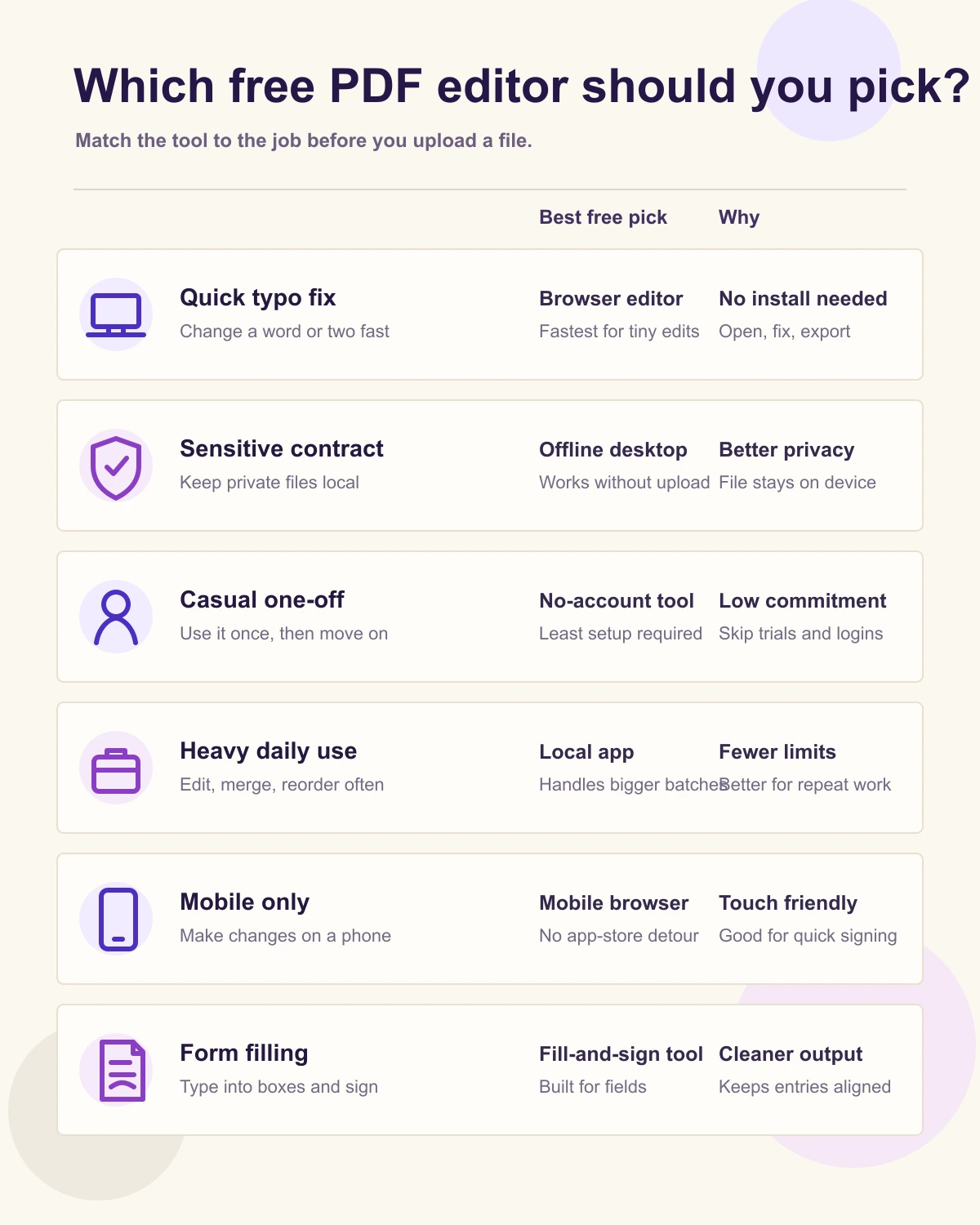
- For a quick typo fix or one-off edit — Sejda or pdfFiller let you click straight into existing text and rewrite it. iFillPDF covers the same job by placing text where you need it, which is usually indistinguishable in the output and never disturbs the rest of the page.
- For a sensitive contract or regulated document (HR, legal, healthcare, finance) — pick an editor with explicit compliance posture. iFillPDF and Smallpdf both host in the EU (Frankfurt and Switzerland respectively). Adobe and pdfFiller meet HIPAA, SOC 2 Type II, GDPR, CCPA, and PCI-DSS, but on paid tiers.
- For a casual one-off where you just need to add a comment or a drawing — Adobe's free editor or Canva. Both are zero-friction for annotation but limited for true text editing.
- For heavy daily use — a paid plan on iLovePDF or iFillPDF pays for itself against per-task limits within the first week.
- For mobile-only workflow — Canva and Smallpdf have native iOS and Android apps; the others work in mobile browsers but with a smaller toolbar.
- For filling a PDF form with dozens of fields — try iFillPDF's AI form-fill tool, which detects fields automatically and fills them from a single context paste. No competitor in this list does this in the free tier.
Privacy and where your file actually goes when you "edit online"
When you upload a PDF to a free editor, the file is uploaded to a server you don't control — sometimes processed there, sometimes processed in your browser. The distinction matters for any document containing personal data, and it changes which editors are safe for which jobs.
Three modes exist in this market:
- Server-side processing — your file leaves your device, gets parsed and edited on the vendor's servers, then is sent back. Adobe, pdfFiller, and most enterprise editors work this way. Speed is excellent, but the file sits in a third-party datacenter for the duration of the session and sometimes longer (Adobe's terms allow 24 hours of retention by default).
- Client-side processing — the editor runs in your browser via WebAssembly, and the file never leaves your device. PDFescape's basic editor and parts of Sejda use this model. Speed depends on your laptop, but privacy is maximal.
- Hybrid — some steps run in your browser, others on a server in a chosen jurisdiction. iFillPDF is hybrid: the page utilities run locally, while documents you save land on Frankfurt-hosted storage and stay there until you delete them (the full list of sub-processors and their locations is in our privacy policy). Deleting the document, or the account, removes them.
If you're handling salary slips, medical records, lease agreements, or anything with a U.S. social security number or EU national ID, default to either client-side editing or an EU-hosted editor. Avoid editors whose terms reserve the right to use your file to train AI models — read the data clause before you upload, not after.
FAQ
Can I really edit a PDF online for free without any signup?
Yes — iFillPDF, PDFescape, and Sejda all let you edit a PDF in the browser without creating an account on their free tiers. Adobe's free editor lets you add comments and drawings without signup but requires sign-in to download. Canva and pdfFiller require an account to start.
Will the editor add a watermark to my PDF?
Most modern free editors no longer add watermarks — Canva, Adobe (free tier), Smallpdf, iLovePDF and Sejda all download clean PDFs. PDFescape's legacy free in-browser tier still marks edited pages. iFillPDF is explicit about its own trade-off: the browser utilities (merge, split, crop, page numbers, compress) export clean files, while an export from the editor carries a small watermark on the free tier that a paid plan removes.
Is it safe to edit a PDF online if it contains personal information?
Safe if you pick an editor that hosts in your jurisdiction and has a clear deletion policy. For EU residents or anyone editing GDPR-covered data, prefer EU-hosted editors (iFillPDF in Frankfurt, Smallpdf in Switzerland). For U.S. healthcare or financial data, check for HIPAA and SOC 2 Type II certifications — Adobe and pdfFiller publish theirs. Never upload sensitive PDFs to unbranded "free PDF editor" sites without a privacy policy.
How do I edit existing text in a PDF, not just add a text box on top?
You need an editor with native text editing — not all of them have it. pdfFiller and Sejda can click into existing text and rewrite it while preserving the original font and alignment. iFillPDF works the other way round — it lays your text over the page and can erase what was underneath — which is what you want on forms and scans, and a compromise on a paragraph of flowing body text. Canva converts the PDF to design elements (which works but changes the file structure). Adobe's free online editor only lets you add a new text box; rewriting existing text requires Adobe Acrobat Pro.
Can I edit a scanned PDF or a photo of a document?
Yes, but only with editors that include OCR (optical character recognition). A scanned PDF is technically an image, so you need OCR to convert the picture into editable text first. pdfFiller, iLovePDF Premium, Adobe Acrobat Pro, and iFillPDF's OCR tool all include this. Smallpdf and Canva do not run OCR on the free tier.
What's the file size limit on free PDF editors?
Limits vary widely — from a few megabytes on some free tiers to several hundred on Canva. On iFillPDF the ceiling depends on the tool: the browser-side utilities take large files (the work happens on your own machine), while the editor is stricter because the document is stored and analysed. PDFescape's in-browser editor is the tightest of the group. For very large PDFs, compress the file first or split it into smaller chunks with a PDF splitter.
Edit your PDF in 60 seconds — free, no signup
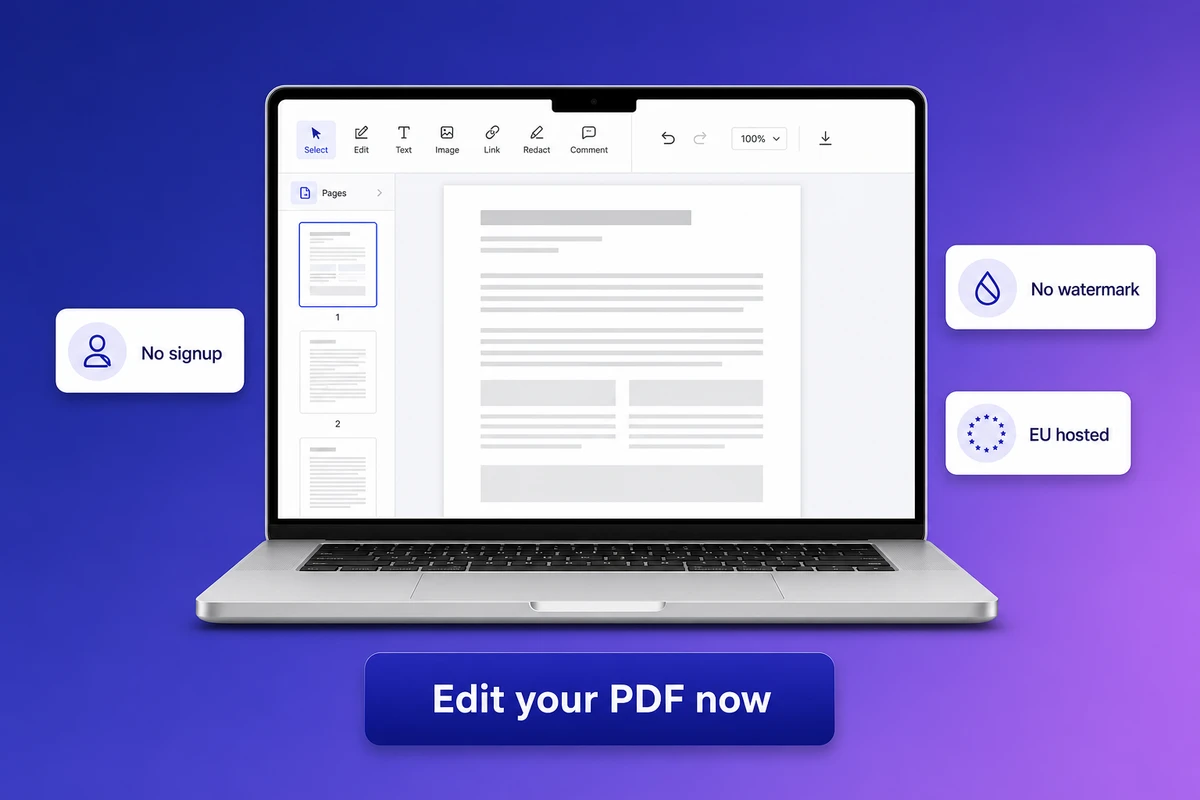
If you want to skip the comparison shopping: drop your PDF into the iFillPDF editor right now. No signup to start editing — an account is only needed to download, and free exports carry a small watermark you can remove later. Documents are hosted in Frankfurt under GDPR and deleted when you delete them. The same workspace also handles filling forms, signing contracts, merging multiple PDFs, and splitting a long PDF into chunks.