TL;DR — There are 5 reliable ways to turn an Excel file into a PDF: Excel's native Save As, online converters (iFillPDF, Smallpdf, iLovePDF, PDF24, Adobe online), Google Sheets export, LibreOffice's command line, and dedicated desktop tools. The best choice depends on whether your spreadsheet is one tab or fifty, narrow or wide, and whether the data is sensitive. The single biggest quality lever is page setup before conversion — set orientation, scaling, and print area first, and the PDF will look right every time.
Why convert Excel to PDF (signing, sharing, archiving)
Excel files are great for working with numbers, but they are terrible for sharing them. PDF freezes the layout: the recipient sees the exact same page breaks, fonts, and totals you saw, on any device, without Excel installed. That is why finance teams send invoices, board packs, and audit trails as PDF — and why HR sends payslips, timesheets, and expense reports the same way.
Three jobs PDF does better than .xlsx:
- Signing. Most e-signature tools (DocuSign, Adobe Sign, iFillPDF's signer) accept PDF, not Excel.
- Sharing. A PDF opens identically in Gmail preview, on an iPhone, or on a printed page. An .xlsx may show #REF errors or shifted columns on the recipient's setup.
- Archiving. PDF/A is the ISO archival standard. Tax authorities, courts, and ISO-27001 audits expect immutable PDFs, not editable spreadsheets where formulas can change values overnight.
If you need the reverse trip later, see our guide on PDF to Excel converters.
Method 1 — Excel native (File > Save As > PDF)
The fastest method if Excel is already open. Go to File > Save As, pick PDF (*.pdf) in the format dropdown, then click Options before saving.
The Options dialog is where most bad Excel PDFs are made — or avoided. Configure these three settings:
- Page range — choose Active Sheet, Entire Workbook, or a Selection.
- Publish what — Active Sheet exports just the visible tab; Entire Workbook bundles every sheet into one PDF.
- Open file after publishing — leave on so you can sanity-check page breaks immediately.
Before you save, hit Page Layout > Page Setup and set Scaling = Fit to 1 page wide by [blank] tall. This is the single fix for the classic "my table got chopped across 7 pages" problem. If your data is genuinely huge, switch to Landscape orientation and Legal paper size.
Excel native works offline, costs nothing extra (you already pay for Microsoft 365), and respects every formula and conditional format. The downside: no batch mode for converting 40 .xlsx files at once.
Method 2 — Online converters (iFillPDF, Smallpdf, iLovePDF, PDF24, Adobe online)
Online tools win when you do not have Excel installed, when you are on a Chromebook or iPad, or when you need to convert several files in a row without scripting. Here is how the five most-used services compare in 2026.
| Tool | Free tier | Auto fit-to-page | Batch mode | Signup needed | EU hosting |
|---|---|---|---|---|---|
| iFillPDF | Free, no per-day cap | Yes | Whole workbook | Yes (account) | Frankfurt, Germany |
| Smallpdf | Capped free tier | Manual toggle | Pro only | No (free) | Switzerland |
| iLovePDF | Unlimited (small) | Manual toggle | Pro only | No | Spain |
| PDF24 | Unlimited | Limited | Yes | No | Germany |
| Adobe online | Capped free tier | Yes | Acrobat Pro only | Adobe ID | USA / global |
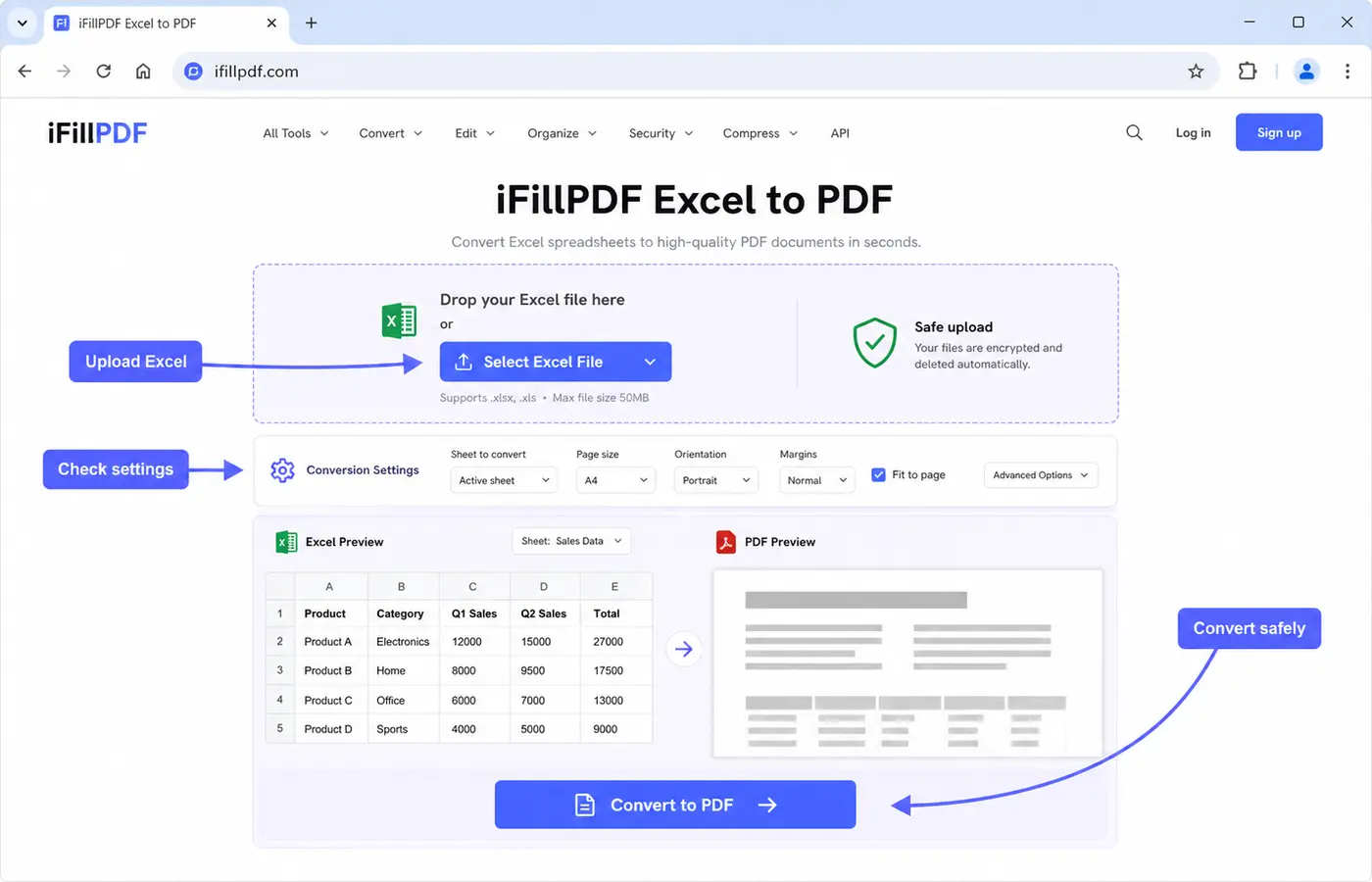
iFillPDF's Excel to PDF tool sits slightly apart from the rest: it asks for an account, and in exchange the converted PDF lands in a workspace where you can fill it, sign it or merge it with other documents without a second upload, on EU storage in Frankfurt. If all you need is the conversion itself and nothing after it, Excel's own Save As (Method 1) or Google Sheets (Method 3) is fewer clicks.
Method 3 — Google Sheets (free alternative)
If you do not own Excel, Google Sheets is the obvious free alternative and its PDF export is excellent. Open the .xlsx in Google Sheets (drag it into Drive, then double-click), then go to File > Download > PDF.
The export dialog gives you finer control than Excel's: you can pick Current sheet / Workbook / Selected cells, set Paper size (Letter, A4, A3, Legal), choose Page orientation, and toggle Fit to width / Fit to height / Fit to page with a live preview on the right side. That live preview alone makes Sheets faster for tricky layouts than Excel's blind Save As.
The drawback is upload bandwidth: a 40 MB .xlsx with macros and pivot tables can take a minute to import, and some advanced Excel features (Power Query, ActiveX controls) get stripped on the way in. For standard tables and dashboards, Sheets is a solid free path.
Method 4 — LibreOffice CLI (advanced batch)
For developers, accountants, or anyone who needs to convert dozens or hundreds of .xlsx files unattended, LibreOffice's headless mode is the right tool. Install LibreOffice (free, open source), then run from a terminal:
libreoffice --headless --convert-to pdf *.xlsx
That single command converts every .xlsx in the current folder to PDF using Calc's renderer. Add --outdir ./pdfs to put outputs in a subfolder. Wrap it in a cron job and you have a zero-cost batch pipeline.
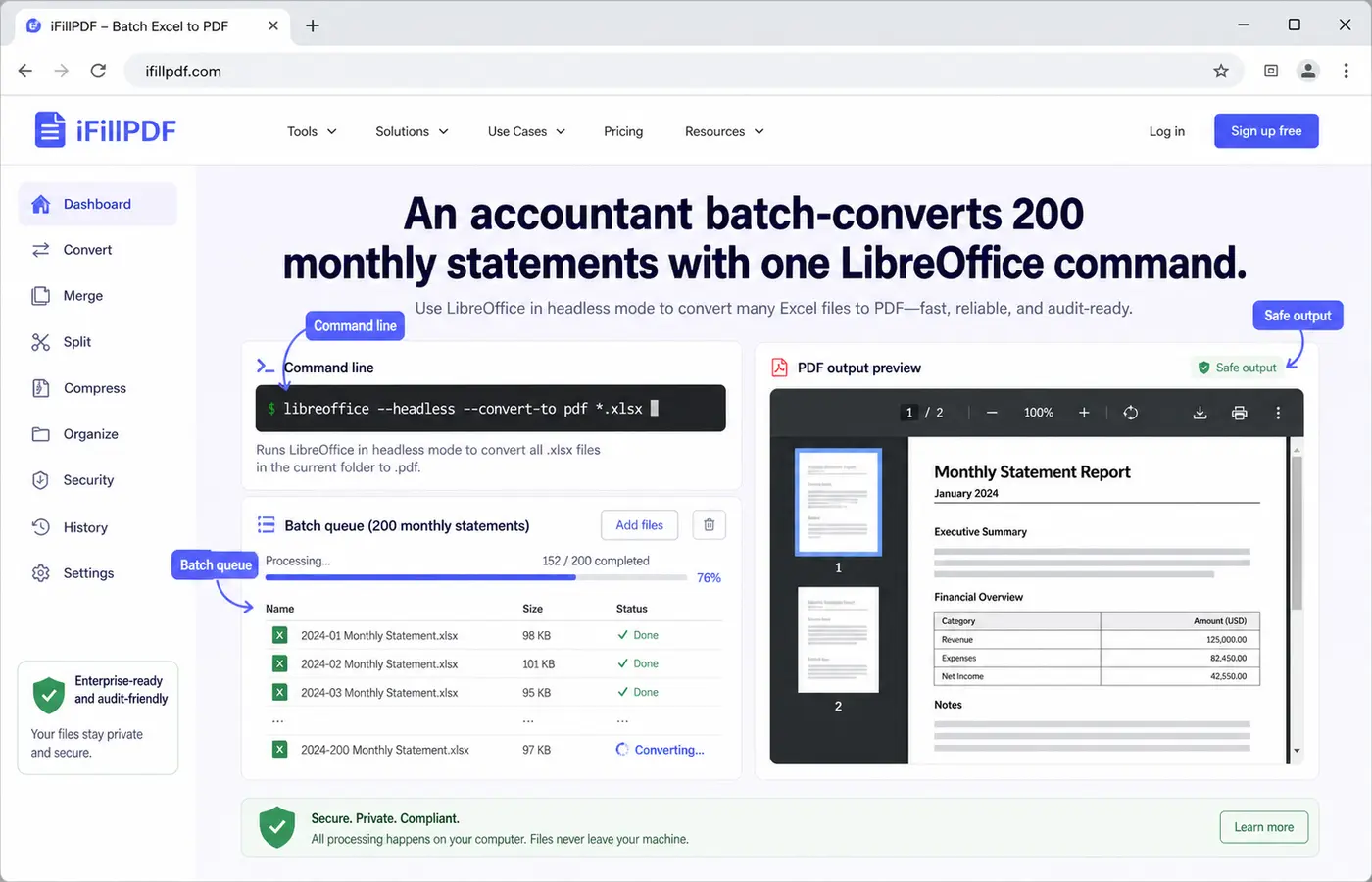
The tradeoff: LibreOffice's rendering is close to Excel's but not identical. Pivot tables, slicers, and custom Excel chart types may render slightly differently. For invoices, statements, and standard tables it is indistinguishable from Excel's output. Always spot-check the first conversion before scheduling 10,000.
Page setup tips: orientation, fit-to-page, gridlines
Most "ugly Excel PDFs" are not the converter's fault — they are page setup misses. Spend 30 seconds in Page Layout before exporting and you will not need to redo it.
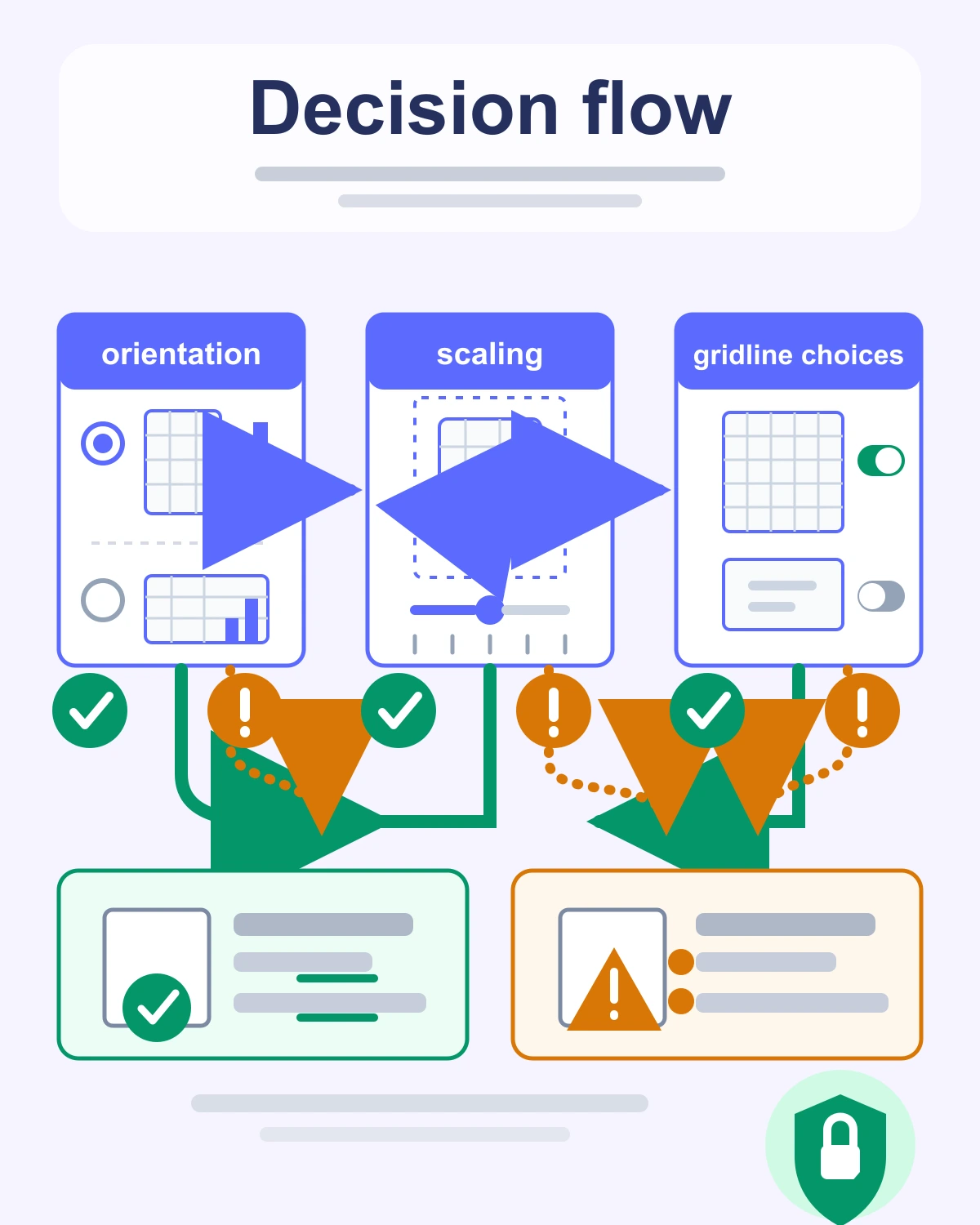
The three settings that matter:
- Orientation. Portrait if your sheet has more rows than columns (most reports, payslips). Landscape if columns dominate (P&L, dashboards, multi-month cashflow).
- Scaling = Fit to 1 page wide. Leave the "tall" box empty so Excel adds pages vertically rather than shrinking your text to 6 pt.
- Print gridlines. Off by default. Turn it ON for tables of raw numbers (auditors love it), OFF for polished client-facing dashboards where you have already styled borders.
Two extras that pay off: set a Print Area (Page Layout > Print Area > Set Print Area) to exclude scratch columns, and add Repeat Rows at Top so your header row appears on every PDF page. Both are one-time settings saved with the workbook.
FAQ
How do I convert Excel to PDF without losing format? Use Excel's native File > Save As > PDF with Scaling set to "Fit to 1 page wide" — it preserves formulas as values, conditional formatting, and merged cells. Online tools, iFillPDF included, handle standard spreadsheets well — the page setup you do beforehand matters more than the converter you pick.
How do I fit a wide spreadsheet on a single PDF page? Switch to Landscape orientation, then set Page Layout > Scaling > Fit to 1 page wide by 1 tall. If text becomes unreadable, your sheet is too dense for one page — split into two PDFs by setting Print Areas instead of forcing a microscopic font.
Can I convert Excel to PDF on iPhone? Yes. Open the .xlsx in the Excel iOS app, tap the three-dot menu, choose Send a Copy > PDF, and email or save to Files. The iFillPDF web tool also works in mobile Safari without installing anything — you'll need an account to download the result.
How do I convert all sheets of a workbook into one PDF? In Excel native: File > Save As > PDF > Options > Entire Workbook. Most online converters, iFillPDF included, take the whole workbook rather than a single tab. To control sheet order, reorder tabs in Excel before exporting.
Can I export Excel to PDF/A for archival? Yes. In Excel's Save As Options, check ISO 19005-1 compliant (PDF/A). This embeds fonts and removes interactive elements so the file remains readable for decades. It is the format tax authorities and ISO-27001 auditors expect.
Convert your Excel file in seconds
You now have five working methods — pick the one that fits your situation. If the PDF is a step rather than the destination — something you then fill, sign or merge — iFillPDF's Excel to PDF tool keeps all of that in one place on EU-hosted storage (an account is required). Need to do more after converting? Fill the PDF, add a signature, or merge several PDFs into one deliverable.