TL;DR — Three families of solutions cover essentially every HTML-to-PDF need in 2026: (1) browser print-to-PDF (Chrome, Safari, Edge) for one-shot manual conversion, (2) online tools and APIs (iFillPDF, PDFShift, Sejda, Smallpdf) for occasional jobs or no-code SaaS, and (3) developer libraries (Puppeteer, Playwright, wkhtmltopdf, jsPDF, ReportLab) for high-volume automation. The right method depends entirely on volume and context: a one-off invoice fits a Cmd+P, an automated billing pipeline needs a headless Chromium API. Below: every viable path, with exact commands, screenshots, and a 6-tool comparison table.

Why convert HTML to PDF (invoices, reports, archive)
PDF is the universal print-and-archive format: fixed layout, embedded fonts, identical rendering on every device, signable, and indexable by archiving systems. HTML is the dynamic source layer where content actually lives. Converting one to the other is the daily backbone of:
- Invoices and receipts generated from a Stripe webhook or an internal ERP (HTML template + dynamic data, exported as a PDF attached to an email).
- Reports and dashboards (analytics, BI exports, monthly KPI reports) where executives want a stable file rather than a live URL.
- Web page archival for legal evidence, compliance snapshots, GDPR proof-of-display, or simply Read-It-Later.
- Publishing workflows: ebooks, white papers, technical documentation generated from Markdown via HTML.
- Tickets, boarding passes, certificates where the rendering must match pixel-perfect across iOS Wallet, printers, and government scanners.
The common pain point is JavaScript-rendered HTML (React, Vue, dashboards): naive converters print an empty shell. The good ones wait for networkidle before snapshotting.
Method 1 — Browser print-to-PDF (Chrome/Safari/Edge)
For a single page, the fastest path is the browser itself: open the URL, press Cmd+P (macOS) or Ctrl+P (Windows/Linux), pick Save as PDF in the destination dropdown, and save. Chrome, Edge, Brave, Arc, and Safari all expose this without extensions. Margins, orientation, scale, and headers/footers are configurable in the print dialog. For background colors and graphics (otherwise stripped by default), tick More settings → Background graphics.
Limits: no batch processing, no programmatic control, no API. Use it for one-shot work and quick visual checks.
Method 2 — Online converters (iFillPDF, PDFShift, HTMLtoPDF.com, Sejda)
For non-developers and occasional batch jobs, a hosted converter saves the install. Most accept a URL or an .html upload, render in a real Chromium, and return a downloadable PDF. The differentiators that actually matter: free quota, custom CSS injection, JavaScript rendering wait, page-break control, EU hosting (GDPR), and API availability.
| Tool | Free | Custom CSS | JS rendering | Page breaks | EU hosting | API access |
|---|---|---|---|---|---|---|
| iFillPDF | Yes (watermark on free export) | Partial (paste your own HTML/CSS) | Yes | CSS controls | Yes (Frankfurt) | No |
| PDFShift | 50 credits/mo | Yes | Yes | Yes | Partial | Yes |
| HTMLtoPDF.com | Partial | Partial | Yes | Partial | No | Yes |
| Sejda | 3 tasks/hour | No | Partial | Yes | Yes | No |
| Smallpdf | 2 docs/day | No | Yes | Yes | Yes (Switzerland) | Pro plan |
| iLovePDF | Partial | No | Yes | Yes | Yes (Spain) | Yes |
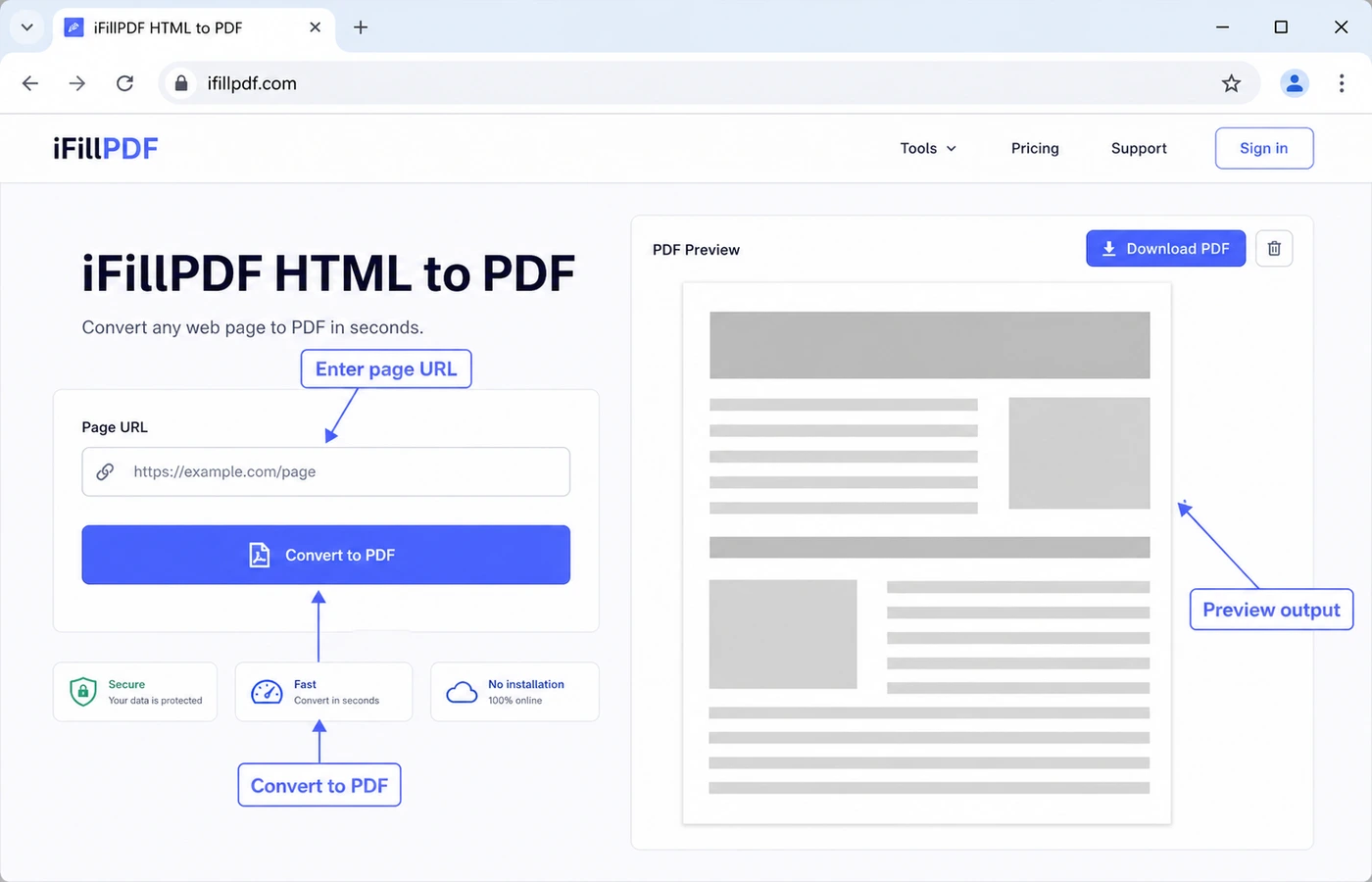
iFillPDF covers the no-code side: paste a URL or an HTML string, pick A4 or Letter, portrait or landscape, set your margins, and download the PDF with the CSS preserved. Frankfurt-hosted; a free account is needed to download, and free exports carry a small footer watermark.
Method 3 — Puppeteer / Playwright (devs)
For Node.js automation, headless Chromium is the gold standard. Puppeteer and Playwright both expose page.pdf() with identical results — Playwright also drives Firefox and WebKit, Puppeteer exposes a smaller API.
import puppeteer from 'puppeteer';

const browser = await puppeteer.launch();
const page = await browser.newPage();
await page.goto('https://example.com', { waitUntil: 'networkidle0' });
await page.pdf({ path: 'out.pdf', format: 'A4', printBackground: true });
await browser.close();
Key options: format (A4, Letter), landscape, margin, displayHeaderFooter with headerTemplate and footerTemplate (HTML strings supporting <span class="pageNumber">), and printBackground (always set to true for invoices). For dynamic data, render an HTML string with page.setContent(html, { waitUntil: 'networkidle0' }) instead of page.goto().
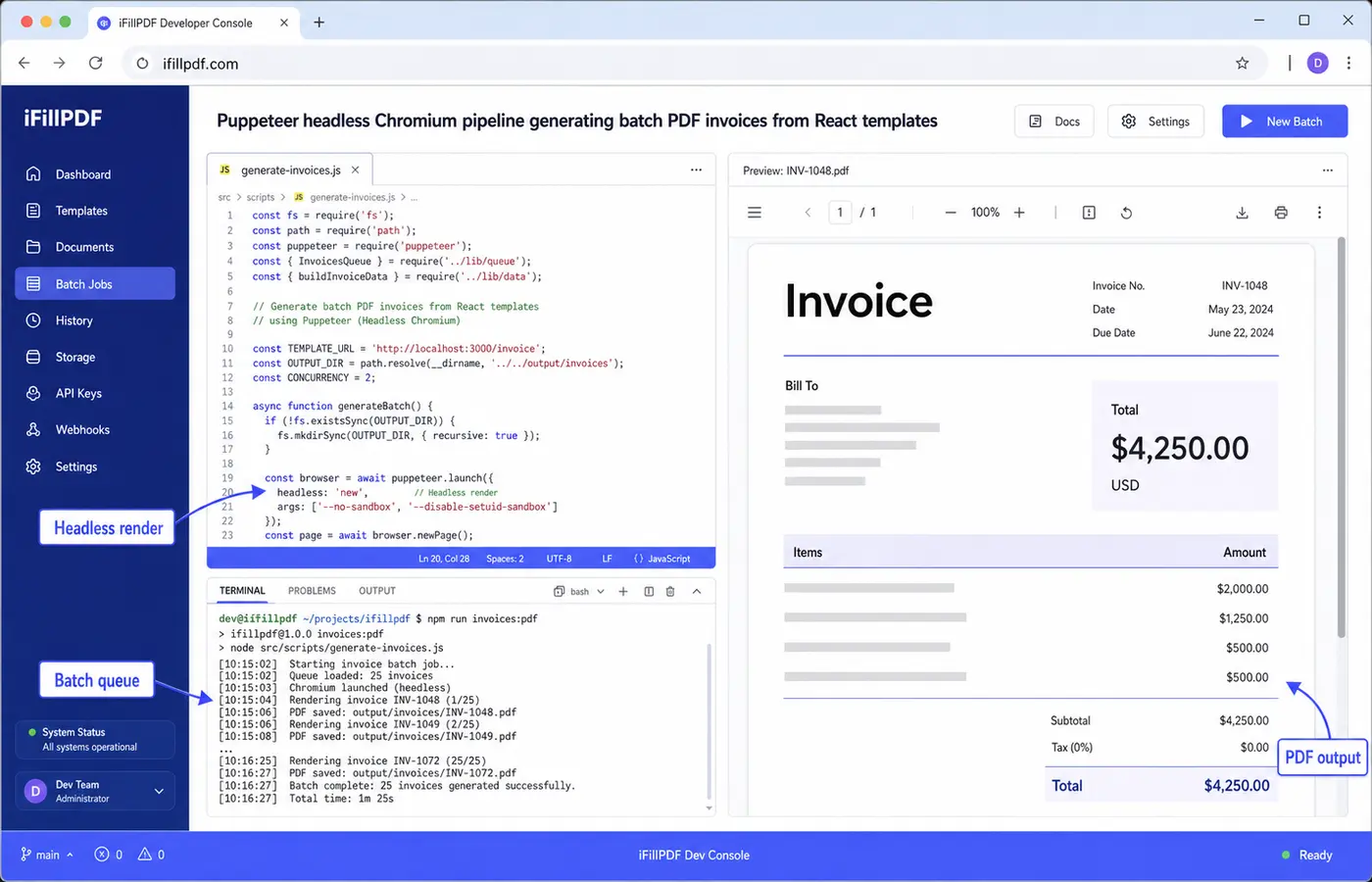
Cold-start cost on serverless (Vercel, Lambda) is the real bottleneck: each invocation boots a full Chromium binary. Solutions: chrome-aws-lambda, dedicated Fargate workers, or offload to a hosted API.
Method 4 — wkhtmltopdf CLI
For shell scripts, cron jobs, and Docker images that don't want Chromium, wkhtmltopdf wraps WebKit into a single binary. The basic command:
wkhtmltopdf input.html output.pdf
It also accepts URLs (wkhtmltopdf https://example.com out.pdf), header/footer HTML files, custom margins, and TOC generation. Caveat: WebKit is frozen at an old version, so modern CSS (flexbox quirks, custom properties in some contexts, container queries) can break. The project is maintenance-mode but still works for invoices and static reports. For anything React-rendered, prefer Puppeteer.
Method 5 — Server-side libraries (jsPDF, html2pdf, ReportLab Python)
When you don't want a browser at all, native libraries reconstruct the PDF from data:
- jsPDF + html2canvas (browser/Node): rasterizes the DOM into a canvas, then embeds the image into a PDF. Fast for short pages, but the text is not selectable by default (use
jsPDF.html()for HTML-to-PDF with the text layer preserved, via the html2pdf.js wrapper). - html2pdf.js (client-side): bundles the two above, runs entirely in the browser — zero backend, zero data leak, which fits SaaS dashboards.
- ReportLab (Python): not HTML-driven but data-driven. You build the PDF from primitives (Paragraph, Table). Tedious, but the output is compact with a clean text layer. Pair with WeasyPrint if you want HTML/CSS input from Python.
- PDFKit (Node): same philosophy as ReportLab in Node.
- iText (Java/.NET) and IronPDF (.NET): commercial libraries, used in finance/legal stacks.
Decision rule: dynamic React → Puppeteer. Static HTML/CSS template → wkhtmltopdf or WeasyPrint. Pure data, no HTML → ReportLab/PDFKit. SaaS frontend export → html2pdf.js.
Page break, header/footer, watermark
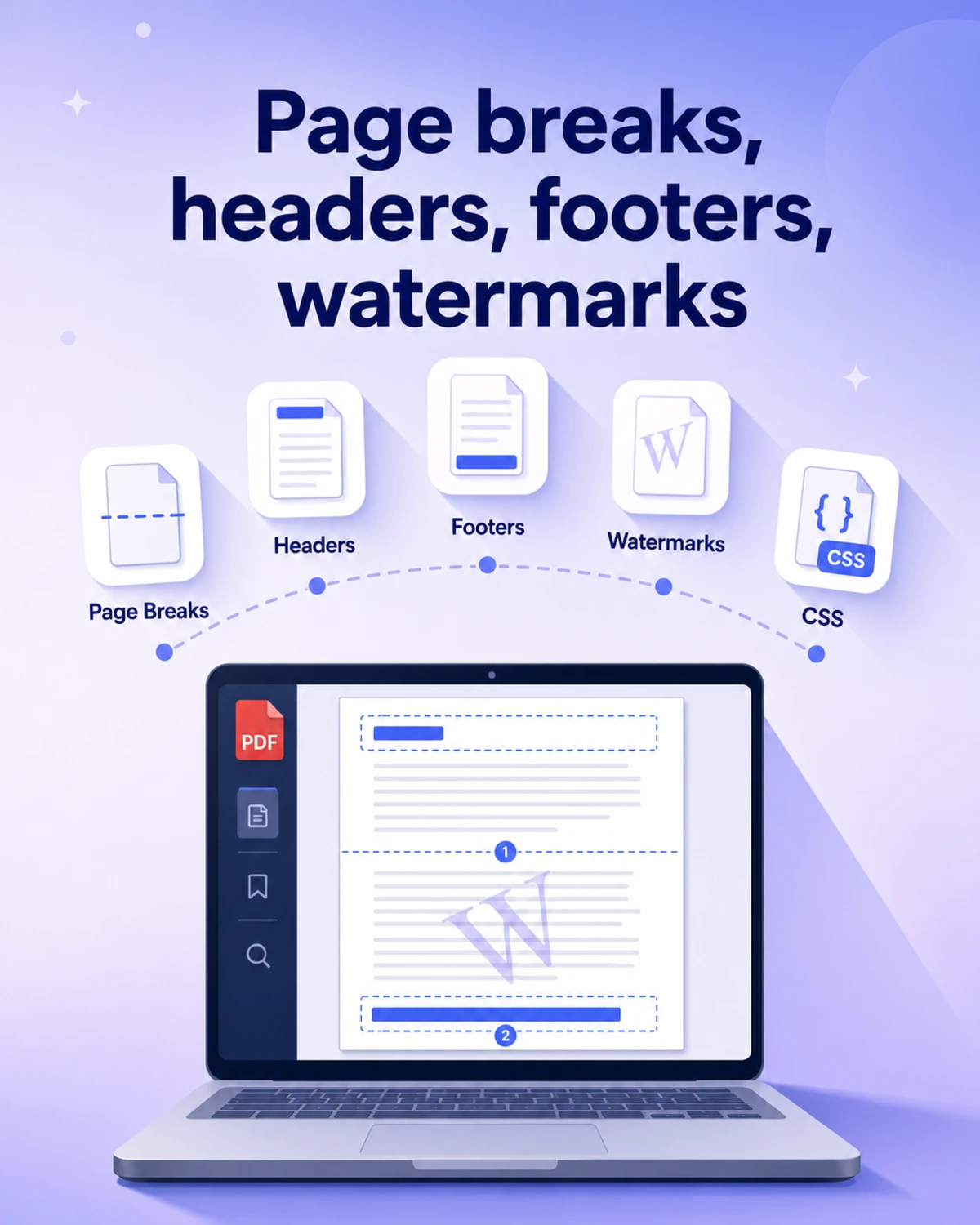
The three CSS properties that change everything:
page-break-before: always;(or modernbreak-before: page;) forces a new page at an element.page-break-inside: avoid;keeps a card or table together.@page { size: A4; margin: 2cm; }controls global geometry.
For headers and footers, Puppeteer's displayHeaderFooter accepts HTML templates with pageNumber, totalPages, date, title, url placeholders. For watermarks, the cleanest path is a fixed-position semi-transparent CSS layer (position: fixed; opacity: 0.1; transform: rotate(-30deg)) included in the HTML before conversion — works in every method.
FAQ
HTML to PDF API for SaaS — which one? For a SaaS that needs to render PDFs at scale without managing Chromium, hosted APIs (PDFShift, DocRaptor) are the right call. Pick on EU hosting (GDPR), pricing per credit vs per minute, and whether they expose waitFor selectors for JS-rendered apps.
HTML with JavaScript dynamic content — does it work? Only with converters that render in a real browser engine — Puppeteer and Playwright locally, or a hosted converter that does the same (PDFShift, iFillPDF). wkhtmltopdf and html2pdf.js handle basic JS but choke on React/Vue hydration. Always set waitUntil: 'networkidle0' or a custom waitForSelector matching a post-render DOM marker.
HTML to PDF in Node.js — minimal setup? npm i puppeteer, then the 6-line snippet above. For serverless, swap to puppeteer-core + @sparticuz/chromium to stay under Lambda's 250 MB limit. Expect a slow first invocation and much faster warm ones.
Free HTML to PDF without signup — does it exist? Yes: browser print-to-PDF (always free) and Sejda (3/hour limit). iFillPDF HTML to PDF is free too, with a free account to download. For unlimited self-hosted, use Puppeteer or wkhtmltopdf locally.
Best library for invoices? Puppeteer with a React/Handlebars template. You get full CSS, custom fonts, dynamic data, and pixel-perfect output. For ultra-light invoices with strict file-size requirements, ReportLab in Python produces noticeably smaller files than a Chromium render.
Convert your HTML to PDF now
Three paths, one decision: hit Cmd+P for a one-shot, install Puppeteer for an automated pipeline, or use iFillPDF HTML to PDF for the in-between — paste a URL or raw HTML, keep the CSS, pick your page format, EU Frankfurt hosting, free with an account to download. Once your PDF is generated, you can fill it, sign it, merge it with attachments, or compress it for email — all in the same workflow.